
Noob Gravity
Play Count0
Published2022-04-13
Supported DevicesPC + Mobile
CategoryAdventure & RPG
Rating★★★★★5.0Rate this game
📝Noob Gravity Overview
Tap left to drift right, tap down to shoot upward — Noob Gravity rewires your platforming instincts from the very first jump.
💬What is Noob Gravity?
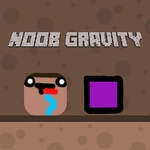
Noob Gravity takes the classic gravity-flip platformer and gives it that janky Roblox energy. You're a blocky yellow noob with a big head and zero respect for physics. The twist? Tapping the screen pulls you in the opposite direction. Want to move left? Tap the right side. Need to launch upward? Tap below. It sounds counterintuitive, and honestly, the first ten deaths are just your brain unlearning every other platformer.
What got me was how quickly it clicks after the initial flailing. There's a moment around level five or six where you stop thinking about which side to tap and start tracking the spikes, the moving platforms, the gaps. There's a stretch with three rotating spike balls and a crumbling ledge where I died maybe thirty times before realizing you can chain small taps to hover. The controls become second nature, and that's when Noob Gravity stops being a gimmick and starts being a genuinely tight reflex challenge. Mobile controls are surprisingly playable, though I found quick taps work better than long presses when you're threading a narrow passage.
It's not a huge game — don't expect a 40-hour story or skill tree. You get a short burst of frustration and triumph. The noob faceplants are funny, the deaths are instant, and the respawns are fast enough that you'll tell yourself "one more try" at least a dozen times. If you like games like VVVVVV or any one-button platformer, this is a lighter, sillier cousin.
👥How to Play Noob Gravity
*Tap in the opposite direction you want to move or Fly!
*Mobile control available
✨Game Tips
Tap in short bursts instead of holding — it gives you way more control when navigating spike corridors.
Watch where the noob is looking; his head tilt hints at the gravity field about to flip.
On moving platforms, stay closer to the center so you don't slide off mid-flip.
Restart instantly after dying — the game remembers your progress but resets timing on hazards, so take a beat if you're tilted.
Use the opposite-tap rule on walls too: tapping a wall pushes you away, useful for dodging.
Mobile players should use thumbs, not index fingers, for faster taps.
🔧FAQ
Q: Is Noob Gravity free?
A: Yes, it's completely free to play in your browser with no hidden paywalls.
Q: Can I play Noob Gravity on mobile?
A: Absolutely. The touch controls are built in, and quick thumb taps work best.
Q: Do I need to download anything?
A: No downloads or installs. Just open the page and the game runs instantly.
Q: What's the trick to the backwards controls?
A: Think of tapping the opposite direction as pushing yourself away — you'll rewire your brain after a few levels.
Q: How many levels does Noob Gravity have?
A: The game offers a short but challenging set of levels that gets progressively harder with spikes and moving platforms.
Q: Is Noob Gravity safe for school?
A: Yes, there's no violence or inappropriate content — just cartoonish platforming with a blue noob.