
Noob Huggy
Play Count0
Published2022-01-21
Supported DevicesPC + Mobile
CategoryAdventure & RPG
Rating★★★★★5.0Rate this game
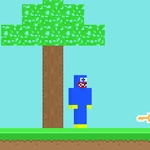
📝Noob Huggy Overview
Leap, bounce, and double-jump past spinning blades and collapsing platforms as a noob who's way too cheerful for this.
💬What is Noob Huggy?
Noob Huggy drops you into a series of increasingly sadistic 3D obstacle courses where the only thing standing between you and the next checkpoint is your own timing. The double jump isn't just a gimmick—it's the whole game. Miss that second input by half a second and you'll watch your blocky avatar ragdoll into the void.
I lost count of how many times I thought I had a jump nailed, only to clip the edge of a spinning gear and go flying. The controls are simple—WASD or arrow keys on desktop, touch on mobile—but the level design punishes greed. Some platforms tilt, others vanish, and a few rotate just enough to make your landing zone feel like a moving target. The double jump gives you a safety net, but only if you save it for the right moment. Use it too early and you'll be staring at a respawn screen.
It's not a long game, but it's the kind of thing you'll restart because the runs are short and the frustration is the fun. The noob skin and Huggy grin give it a weird charm—like someone shoved a Roblox avatar into an old-school platformer and said 'good luck.' If you're into obbies or parkour challenges, this scratches that itch without needing a download.
👥How to Play Noob Huggy
"WASD" to move & "Arrow Keys" to move
Mobile Touch Control
Double jump is active in the game.
✨Game Tips
Save your double jump for the second half of a gap—using it early usually leaves you short.
Tap the jump button on mobile rather than holding it; the input feels more precise.
Watch the rotation pattern on moving platforms before you commit.
Don't rush the first few jumps of each section; the camera angle can throw off your distance perception.
If a jump looks impossible, look for a side route—some obbies hide easier paths.
🔧FAQ
Q: Is Noob Huggy free to play?
A: Yes, it's completely free in your browser, no payment or account needed.
Q: Can I play Noob Huggy on my phone?
A: Absolutely—the game supports touch controls and works on mobile browsers.
Q: Do I need to download anything?
A: No downloads. Just open the page and start jumping.
Q: What are the controls?
A: Use WASD or arrow keys to move, and press jump twice for a double jump. On mobile, use the on-screen buttons.
Q: Is there a multiplayer mode?
A: No, it's a single-player obstacle course challenge.
Q: How long does a typical run take?
A: Each level takes a few minutes, but expect to retry sections until you nail the timing.