
Obby: Raft
Play Count0
Published2026-01-22
Supported DevicesPC + Mobile
CategoryAdventure & RPG
Rating★★★★★5.0Rate this game
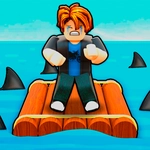
📝Obby: Raft Overview
Leap between floating rafts, dodge spinning hazards, and see how far your parkour skills can carry you in this tense 3D obby.
💬What is Obby: Raft?
Some obstacles are fair. Others are just mean. Obby: Raft leans into the second category from the moment you spawn on a wobbly wooden raft and realize there's no tutorial, no safety net, and the next platform is just a little too far for a comfortable jump. WASD moves you, the mouse swings the camera, and your left click handles whatever interaction the obby throws at you. On mobile, a joystick and touch-drag do the same job. I spent my first ten minutes falling into the water more than actually landing—and weirdly, I didn't mind.
The rafts themselves are the main enemy. Some bob up and down, some tilt when you stand too close to an edge, and a few sink entirely if you hesitate. The checkpoint placement is forgiving enough that you're never set back far, but each death still stings because you know you could have made that jump. I found my groove by ignoring the tempting straight-line path and instead hopping to side rafts that looked slower but offered a better camera angle. That's the real trick: don't fight the camera, work with it.
You'll hit spinning bars, moving logs, and the occasional surprise gap that forces a sprint-jump. It's a short game if you're good at precision platformers, but if you're like me, it'll chew up an afternoon. Mobile controls are a bit floaty, but the touch camera is responsive. No downloads, no sign-ups—just open and jump. For a free browser obby, it scratches that 'one more try' itch better than most.
👥How to Play Obby: Raft
PC:
W,A,S,D - move
PCM - rotate camera
LKM - lick
Mobile device:
Left Joystick - move
Right side of the screen - rotate camera.
✨Game Tips
- Tap W to edge forward before a jump so you don't overshoot.
- Camera angle matters more than speed; swing it down to see the landing raft.
- Some rafts tilt or sink—watch for visual tells before committing.
- Use the respawn points; don't restart the whole stage after a fall.
- On mobile, keep your thumb light on the joystick for fine adjustments.
- Memorize the hazard pattern after each death; it barely changes.
🔧FAQ
Q: Is Obby: Raft free?
A: Yes, it's completely free to play in your browser.
Q: Can I play Obby: Raft on mobile?
A: Absolutely. Use the on-screen joystick to move and drag to look around.
Q: Do I need to download anything?
A: No downloads. It runs right in your web browser as an HTML5 game.
Q: What are the controls?
A: WASD moves on PC, mouse rotates camera, left click interacts. On mobile use joystick and touch.
Q: Is there a checkpoint system?
A: Yes, you'll respawn at nearby checkpoints instead of starting over.
Q: Can I play Obby: Raft offline?
A: You need an internet connection to load the game, but it's lightweight.