
Obstacle Racing
Play Count0
Published2023-07-26
Supported DevicesPC
CategoryAdventure & RPG
Rating★★★★★5.0Rate this game
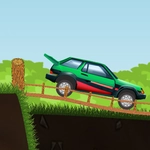
📝Obstacle Racing Overview
Floor it over jagged ramps and busted bridges while your suspension screams for mercy in this unforgiving obstacle race.
💬What is Obstacle Racing?
Instead of a typical racer where you hold right and pray, Obstacle Racing makes every inch of ground feel earned. You're behind the wheel of a bouncy off-roader on a track that looks like it was designed by someone who hates vehicles. Right arrow or D pushes you forward; left arrow or A pulls you back. That's it. No nitro, no jump button—just throttle and brake. The real enemy is momentum. Too fast and you'll launch off a ramp into a backflip that ends with your wheels pointing at the sky. Too slow and you won't clear the gap between two broken platforms. I spent my first run alternating between flooring it and slamming backward like a panicked learner driver.
The physics are the kind of frustrating-fun that keeps you restarting. The truck bounces, tilts, and catches air in ways that feel almost too real for a browser game. One moment I'd be crawling up a steep incline, convinced the engine would stall; the next I'd be airborne off a log, praying the front bumper didn't clip the landing. There's a certain rhythm to it—pulse the throttle, let the suspension settle, then gun it right before the rear wheels leave the edge. Once you nail a sequence of three obstacles without flipping, you feel like a stunt god. Then the next rock sends you tumbling and you're back to square one, grinning.
Don't expect checkpoints or hand-holding. One bad landing often sends you back to the start, which sounds cruel but honestly feeds the loop. Every run you learn the track a little better—where to brake, when to let gravity do the work. I kept telling myself "one more try" until the sun came up. That's the sign of a good browser time-waster.
👥How to Play Obstacle Racing
Use Right Arrow Key or D to move forwards
Use Left Arrow key or A to move backwards
You can also use the forward and backward button given in the game to control the vehicle
✨Game Tips
• Tap D in short pulses rather than holding it—constant throttle makes you flip.
• Brake hard before drop-offs; landing rear-first usually keeps you upright.
• Use the on-screen buttons if your keyboard feels laggy; they give finer control.
• Watch the suspension compress before a ramp—time your throttle as it rebounds.
• Don't fight a wheelie; tap A briefly to bring the nose down gently.
🔧FAQ
Q: Is Obstacle Racing free to play?
A: Yes, it's completely free in your browser—no paywalls or premium unlocks.
Q: Do I need to download anything to play Obstacle Racing?
A: No downloads. It runs on HTML5, so just open the page and start driving.
Q: Can I play Obstacle Racing on my phone?
A: Yes, the on-screen forward and back buttons work with touchscreens.
Q: What are the controls for Obstacle Racing?
A: Use Right Arrow or D to move forward, Left Arrow or A to reverse. You can also tap the buttons.
Q: Is Obstacle Racing a multiplayer game?
A: No, it's a single-player obstacle driving challenge.
Q: Why does my vehicle keep flipping over?
A: You're likely going too fast over bumps; try pulsing the throttle and braking before crests.