
Openworld Racing
Play Count0
Published2025-07-31
Supported DevicesPC + Mobile
CategoryAdventure & RPG
Rating★★★★★5.0Rate this game
📝Openworld Racing Overview
Hop behind the wheel of a free-roam city driving sim with zero traffic rules, open roads, and a whole skyline to explore at your own pace.
💬What is Openworld Racing?
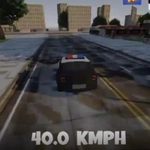
I've sunk more time than I'd like to admit just cruising around this town doing absolutely nothing productive. That's the pull of Openworld Racing—it doesn't force a mission on you, it just hands you a car and says, go find something interesting. The map isn't the biggest you'll ever see, but it's dense enough with back alleys, highways, and parking lots that you'll keep finding new shortcuts and ramps.
Controls are straightforward on PC: WASD to drive, and a few extra keys handled in the top-left corner of the screen. I usually stick to the camera toggle because the third-person chase cam is solid for high-speed runs, but the hood view makes weaving through traffic feel way more intense. There's a headlight button for night driving, which is a nice touch—cruising at dusk with the beams cutting through the purple sky genuinely looks good for a browser game. On mobile, you get on-screen arrows and brake, plus the same headlight and camera icons, so it translates well to tapping.
Performance is surprisingly stable even when you're flying down the freeway at full throttle. Crashes are forgiving—no realistic damage, just bounce off and keep going—so it's more about exploration than survival. Don't expect a career mode or unlockables; the fun is in the sandbox itself. I keep coming back just to drift around the industrial district and see how far I can jump off the harbor ramp. If you want a zero-pressure driving game to kill twenty minutes between classes, this will scratch that itch.
👥How to Play Openworld Racing
Mobile: Tap arrow icons to move, brake icon to stop, headlight icon to toggle front lights, and camera icon to change perspective.
PC: Use WASD to drive. More controls are shown in the top-left corner of the game.
✨Game Tips
Use the camera toggle often; the hood view helps you judge gaps in traffic that the chase cam lies about.
Don't treat this like a racer—slow down and explore side streets, you'll find ramps and cut-throughs that make the map feel bigger.
On PC, tap the brake lightly instead of holding it to keep your speed through corners without spinning out.
Night driving with headlights on isn't just cosmetic; it's easier to spot oncoming cars from far away.
The brake icon is your best friend on sharp turns, especially when you're trying to chain a drift through a hairpin.
🔧FAQ
Q: Is Openworld Racing free to play?
A: Yes, it's completely free in your browser with no hidden paywalls.
Q: Can I play Openworld Racing on my phone?
A: Yes, the game works on mobile with on-screen touch controls for driving, braking, headlights, and camera.
Q: Do I need to download or install anything?
A: No downloads needed; it runs directly in your browser as an HTML5 game.
Q: What are the PC controls for Openworld Racing?
A: Use WASD to drive. Additional controls like camera and headlights are shown in the top-left corner.
Q: Is there a mission or story mode?
A: No story mode. It's an open-world sandbox where you explore and drive freely at your own pace.
Q: Can I change the camera view?
A: Yes, press the camera icon or key to switch between chase cam and other perspectives.