
Otaho Bird 2
Play Count0
Published2023-03-03
Supported DevicesPC + Mobile
CategoryAdventure & RPG
Rating★★★★★5.0Rate this game
📝Otaho Bird 2 Overview
Leap through lush jungle platforms with a double-jump that feels like cheating — until the spikes remind you it isn't.
💬What is Otaho Bird 2?
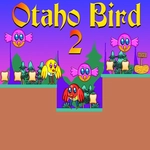
I died at least fifteen times before I realized the double jump isn't just a gimmick — it's the whole game. Otaho Bird 2 throws you into a bright, almost cartoonish jungle where every platform is a puzzle and every gap is a lesson in timing. The controls are simple: WASD or arrows to move, tap jump twice to get extra height. But simple doesn't mean easy. The double jump is weirdly precise; you can't just mash it. There's a tiny hesitation after the first jump where you have to decide: is this the moment? Honestly, I kept messing it up until I stopped panicking.
The levels are short and restart instantly, which is a blessing because you'll be restarting a lot. Each area introduces something new — moving platforms, crumbling ledges, birds that don't like you. The art style is charming but not childish; it's like a Saturday morning cartoon with sharp edges. The sound design is subtle but effective, with a satisfying little chirp when you nail a tricky jump. What really got me was the hidden collectibles. I spent an extra ten minutes on one level trying to reach a glowing feather tucked in a corner, only to find it unlocked a secret path. That's the kind of thing that keeps me playing. It's not a long game, but it's tight, and every death feels fair. If you like platformers that respect your time but test your patience, this one's a keeper.
👥How to Play Otaho Bird 2
Use "WASD" or "Arrow" keys for the player's movement.
Use "W" or "Up" arrow key twice for double jump.
✨Game Tips
- Master the double jump by tapping the second jump at the peak of your first arc — that's where you get the most height.
- Don't hold forward while jumping; let go mid-air for precise landings on small platforms.
- Collect every glowing feather you see, even if it means a detour. They unlock hidden areas.
- Learn the rhythm of moving platforms — they follow patterns, and waiting a beat is often safer than rushing.
- If you're stuck, try jumping backwards. Some ledges are easier to reach from the opposite direction.
- Save your double jump for emergencies; many gaps can be cleared with a single well-timed jump, keeping the second as insurance.
🔧FAQ
Q: Is Otaho Bird 2 free to play?
A: Yes, it's completely free in your browser with no hidden fees.
Q: Can I play Otaho Bird 2 on mobile?
A: Touch controls work on most mobile browsers, but for the double jump you'll need to tap quickly, so a keyboard is recommended.
Q: Do I need to download anything to play Otaho Bird 2?
A: No downloads or installs. It runs directly in your browser as an HTML5 game.
Q: What are the controls for Otaho Bird 2?
A: Use WASD or arrow keys to move, and press W or up arrow twice for a double jump.
Q: How long is Otaho Bird 2?
A: A typical playthrough takes 30-60 minutes, but finding all collectibles can add extra time.
Q: Is Otaho Bird 2 suitable for kids?
A: Yes, it has no violence or scary content, just bright platforming challenges that are fun for all ages.