
Paint Cow
Play Count0
Published2023-11-13
Supported DevicesHTML5
CategoryKids & Educational
Rating★★★★★5.0Rate this game
📝Paint Cow Overview
Grab your digital brush and give that spotted cow a rainbow makeover — no art skills needed, just a steady mouse and a wild imagination.
💬What is Paint Cow?
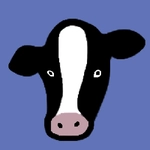
Ever wanted to see a cow rocking polka dots and a lime green tail? Paint Cow hands you the brush and steps back. It's a simple coloring game at heart, but the appeal comes from how absurdly free you are. There's no goal, no timer, no score. Just a blank cow outline and a full palette waiting for your genius. I spent ten minutes deciding whether the hooves should be hot pink or electric blue. I went with both.
The controls are basic enough for a toddler but flexible enough to satisfy a bored adult on a lunch break. You click a color, then click a section of the cow to fill it. Spots, ears, horns, tail, even the background — each is a separate zone. If you prefer freehand, there's a brush tool where you can scribble extra patterns or fix a missed spot. The mouse is all you need, and if you goof up, an undo button saves you from starting over. One thing I noticed: the fill tool sometimes leaves tiny white edges if you don't click dead center. Wiggle your cursor until the highlight covers the whole section before committing.
What keeps me coming back is turning the cow into something gloriously wrong. Zebra stripes? Sure. A unicorn horn made of rainbows? Why not. I once made a cow that looked like a watermelon, and my kid laughed so hard he knocked over his juice. Paint Cow doesn't try to teach color theory or reward staying inside the lines. It just hands you a cartoon animal and says, go nuts. For a free browser game, that's a rare kind of kindness.
✨Game Tips
Use the fill tool for large areas like the cow's body, then switch to a small brush for spots and tiny details.
Don't be afraid to go wild — there's no wrong color for a cartoon cow, and mixing clashing shades is half the fun.
Save your finished masterpiece before closing the tab, because the game won't remember it for you.
If you're on a trackpad, enlarge the brush size a bit to avoid accidental splotches when doing freehand work.
Click the undo button right after a mistake instead of painting over it — it's faster and keeps your palette clean.
Try coloring the background first; it changes how the cow's colors pop against the scene.
🔧FAQ
Q: Is Paint Cow free to play?
A: Yes, it's completely free with no hidden purchases or premium color packs.
Q: Can I play Paint Cow on my phone?
A: Yes, the game works in mobile browsers, though a mouse gives you better precision.
Q: Do I need to download anything to play?
A: No downloads needed. Just open the game in your browser and start painting right away.
Q: Is Paint Cow suitable for young kids?
A: Absolutely — no reading required, just click and color. Perfect for ages 3 and up.
Q: Can I save my finished cow artwork?
A: Yes, use the save button to download your creation as an image file.
Q: What if I make a mistake while coloring?
A: Use the undo button to revert your last action, or pick the white color to repaint any section.