
Paint Craft Drawing
Play Count0
Published2022-11-02
Supported DevicesPC + Mobile
CategoryKids & Educational
Rating★★★★★5.0Rate this game
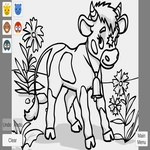
📝Paint Craft Drawing Overview
Grab a virtual brush, mix wild colors, and turn a blank canvas into a drawing you'd actually want to stick on the fridge.
💬What is Paint Craft Drawing?
Paint Craft Drawing doesn't waste your time with tutorials or menus that get in the way. You tap, you drag, and color appears exactly where your finger or mouse lands. The palette is surprisingly generous for a browser game — enough shades to make a sunset look like an actual sunset, not just orange smears. I kept accidentally discovering little quirks, like how layering two translucent strokes creates a completely new tone that isn't in the tray. That's the kind of thing that makes you want to test every combination instead of just filling in the pre-made outlines.
If you've got a kid in the room, this is the game where they stop asking for your phone and start showing you their drawings unprompted. There's no score, no timer, no wrong way to play; just a blank page and a box of digital crayons that never snap. My niece spent twenty minutes making a purple cat with green polka dots and then asked me to save it so she could print it. The color-fill tool is forgiving if you go outside the lines, and the undo button actually works without freezing.
It's the kind of game you can leave open in a background tab and come back to whenever your brain needs a reset. No ads popping up mid-stroke, no 'watch to unlock the good brushes' nonsense. Just drawing. One small warning: it's not a full art studio. You won't find layer masks or pressure sensitivity. But for a quick creative break between classes or a way to keep someone entertained on a long ride, it does the job. The drawings save locally, so you won't lose your fridge-worthy masterpiece when the tab closes.
👥How to Play Paint Craft Drawing
Tab to screen
✨Game Tips
Tap a color twice to grab the exact same shade again without hunting through the palette.
Use short, quick strokes on touchscreens; long drags can make the line wobble and lose its shape.
Layer light colors first, then add darker ones on top — that way undoing a mistake won't muddy your base.
Save your drawing before switching to a new tool if you're experimenting with something risky.
Zoom out every now and then to check the overall composition; it's easy to get lost in tiny details.
The undo button lets you go back several steps, so a stray line isn't the end of the world.
🔧FAQ
Q: Is Paint Craft Drawing free to play?
A: Yes, it's completely free in your browser with no paywalls or locked brushes.
Q: Can I play Paint Craft Drawing on my phone?
A: Yes, it works on touchscreens. Tap and drag with your finger to draw.
Q: Do I need to download anything?
A: No download needed. It runs right in your web browser on HTML5.
Q: Can I save or print my drawings?
A: Yes, use the in-game save option to download your artwork as an image.
Q: What ages is Paint Craft Drawing good for?
A: It's kid-friendly and simple enough for ages 4 and up, but adults enjoy it too.
Q: Does Paint Craft Drawing need a mouse or tablet?
A: A mouse works fine, and touchscreens work too. No pressure sensitivity required.