
Pair Up Shapes
Play Count0
Published2025-06-03
Supported DevicesPC + Mobile
CategoryKids & Educational
Rating★★★★★5.0Rate this game
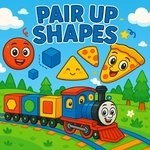
📝Pair Up Shapes Overview
Drag those wobbly shapes into their matching outlines before your eyes start crossing from all the corners.
💬What is Pair Up Shapes?
Pair Up Shapes feels like one of those quiet puzzle toys you'd hand a toddler on a long car ride, except it works just as well for a five-minute brain break. You get a tray of scattered shapes on one side and a set of empty outlines on the other. Your whole job is to drag each piece into the cutout that fits. Sounds simple, and honestly it is — until you hit the slightly rotated hexagon that looks identical to the pentagon if you squint. I caught myself hovering a star outline over three different pieces because I wasn't checking corner counts.
On PC, left-click and hold to drag; on mobile, just tap and slide. The hitboxes are forgiving enough for little hands, which is exactly what you want if you're trying to keep a preschooler engaged without frustration. There's no penalty for a wrong guess that I could find — you just drag it back and try another spot. That low-stakes loop is the game's real strength. It teaches shape recognition through repetition rather than punishment, and the gentle snapping sound when a piece locks in gives a tiny hit of satisfaction every time.
I keep thinking about how this would play in a classroom. A teacher could project it on a board and take turns, or a kid could sit with a tablet during free time and absolutely demolish the levels. The visuals are bright and clean without being overstimulating, and the whole thing loads in seconds. If you've got a younger sibling or cousin who's just learning shape names, this is one of the few unblocked games that actually earns the educational tag instead of wearing it as a cheap label.
👥How to Play Pair Up Shapes
Controls: Tap on the matching shape using touch (Mobile) or left button of the mouse to drag element (PC).
✨Game Tips
Start with the largest shape outlines first—they're easier to spot and shrink the board quickly.
Compare corner counts when two shapes look nearly identical.
If a piece won't snap, check whether you're holding it by the right edge or if the outline is rotated.
Use a mouse on PC if you have shaky fingers; touch drags can go a little wild.
Let the snapping sound guide you—it confirms you got the match, so no second-guessing.
🔧FAQ
Q: Is Pair Up Shapes free to play?
A: Yes, it's completely free in your browser with no downloads or hidden costs.
Q: Can I play Pair Up Shapes on a phone or tablet?
A: Yes, the touch controls work well on mobile devices, just tap and drag each shape.
Q: Do I need to install anything to start playing?
A: No, the game loads right in your web browser, so there's no installation or app store needed.
Q: What age group is Pair Up Shapes best for?
A: It's aimed at young kids learning shape recognition, roughly preschool through early elementary ages.
Q: Does Pair Up Shapes need a mouse?
A: No, you can use a mouse on PC or your finger on a touchscreen—both work fine.
Q: Can I play Pair Up Shapes at school?
A: It's listed as an unblocked game, so most school networks will let it run without issues.