
Parallel Universe City Adventure
Play Count0
Published2023-07-10
Supported DevicesPC + Mobile
CategoryAdventure & RPG
Rating★★★★★5.0Rate this game
📝Parallel Universe City Adventure Overview
What if the city itself were a sliding puzzle, and you're standing on the tiles? Shift buildings, bend streets, and carve a path to the portal.
💬What is Parallel Universe City Adventure?
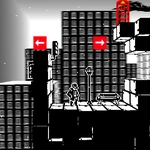
This one got under my skin in the best way. You wake up in a city that looks normal until you try to cross the street — then the block you're on slides sideways and drops you into a new geometry. The whole place works like a giant sliding tile puzzle, but instead of nudging pieces from above, you're down in the grid, walking on the very tiles you're moving.
The hook is that you can only shift structures when you're standing next to or on top of certain control points. It sounds simple, but I died four times in the first ten minutes because I got cocky and tried to brute-force my way through a plaza. The real trick is reading the city's layout like a map that rewrites itself. A concrete wall might become a ramp if you drag the block behind it; a dead-end alley might open up if you shift two blocks in sequence. There's a quiet satisfaction when you spot a solution and the whole screen shudders into place.
Don't expect a combat-heavy experience — this is more about spatial reasoning and patience than reflexes. That said, the shifting sound effect has a deep mechanical thunk that makes every move feel heavy and deliberate. I kept coming back to one particular puzzle where the exit was visible the entire time, but the only way to reach it required shunting a building three tiles north, then backtracking before the floor locked again. If you like games that make you feel clever rather than fast, this one earns its place in your lunch break rotation.
👥How to Play Parallel Universe City Adventure
Controls: Use the WASD keys to navigate through the city.
W: Move Up
A: Move Left
S: Move Down
D: Move Right
Objective: Your goal is to solve puzzles by shifting the citys structures and infrastructure to overcome obstacles and reach the designated target
✨Game Tips
Use WASD, but try holding two keys at once to move diagonally when a path is narrow.
Survey the whole grid first — some exits are only one tile away once you shift a nearby structure.
Stand on the glowing control pads to trigger city shifts; they won't activate from a distance.
Plan your shifts backwards from the exit. Ask "which block needs to move where?" before you touch anything.
If a route locks behind you, don't panic — sometimes a fresh shift opens a shortcut on the opposite side.
Patience beats speed here. The city punishes button-mashing harder than almost any puzzle I've played.
🔧FAQ
Q: Is Parallel Universe City Adventure free?
A: Yes, it's completely free to play in your browser.
Q: Can I play Parallel Universe City Adventure on mobile?
A: The game works on desktop browsers best, but many mobile browsers can run it with on-screen controls.
Q: Do I need to download anything?
A: No downloads required. It loads right in your browser as an HTML5 game.
Q: What are the controls?
A: Use WASD keys to move through the city — W up, A left, S down, D right.
Q: How do I solve the puzzles?
A: Shift the city's structures by interacting with control points, then navigate to the target exit.
Q: Is Parallel Universe City Adventure unblocked at school?
A: Since it's browser-based and hosted on unblocked game sites, it usually bypasses school filters.