
Parking ACE 3D
Play Count0
Published2022-10-31
Supported DevicesPC + Mobile
CategoryAdventure & RPG
Rating★★★★★5.0Rate this game
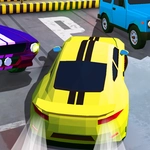
📝Parking ACE 3D Overview
Squeeze a sedan into a tight spot without scratching the paint — that's the whole nerve-racking vibe of Parking ACE 3D.
💬What is Parking ACE 3D?
Parking ACE 3D strips driving down to its most humbling skill: putting a car exactly where it needs to be. You're not racing, you're not outrunning cops — you're creeping forward, tapping the reverse button, and praying the camera doesn't betray your judgment. The controls are simple enough (WASD for gas and steering, on-screen buttons for gears) but the real challenge is spatial awareness. Each level drops you into a parking lot, garage, or roadside spot with a target zone glowing ahead.
I lost count of the times I thought I had a clean line, only to clip a cone or kiss a concrete pillar. The 3D camera helps — you can rotate it to check your rear bumper — but it also exposes every mistake. What I appreciated: the game doesn't punish tiny errors with instant failure. You can bump a barrier, readjust, and still nail the park if you stay calm. The gear system matters too. Forward, reverse, and sometimes a brake that actually stops your momentum before you overcommit.
The levels ramp up from open lots to diagonal spaces and narrow alleys. Some spots feel impossible until you realize you need to angle in from the opposite side. After about 20 levels, I finally felt that sense of 'okay, I can actually parallel park now' (real life still pending). It's the kind of game you'll open for five minutes and accidentally play for forty.
👥How to Play Parking ACE 3D
WASD to drive, tap buttons for gear
✨Game Tips
Creep forward slower than you think — momentum is your enemy when the gap is tight.
Switch the camera frequently; the default angle hides your rear bumper.
If you're about to hit a cone, release the gas instead of slamming reverse.
Practice parallel parking by lining up your side mirror with the front car's bumper first.
Use the brake to hold position on slopes before switching gears.
Don't restart after a minor bump — many levels forgive small touches, so keep adjusting.
🔧FAQ
Q: Is Parking ACE 3D free to play?
A: Yes, it's completely free in your browser with no hidden charges or premium levels.
Q: Do I need to download anything to play Parking ACE 3D?
A: No download needed. It runs in HTML5, so just open the game page and start driving.
Q: Can I play Parking ACE 3D on my phone?
A: Yes, it works on mobile browsers, though the touch controls may feel slightly less precise than keyboard.
Q: What are the controls for Parking ACE 3D?
A: Use WASD or arrow keys to drive, and tap the on-screen buttons to switch between forward and reverse.
Q: Is Parking ACE 3D unblocked at school?
A: The version on this site is unblocked, but your school's network may still filter certain game sites.
Q: How many levels does Parking ACE 3D have?
A: The game includes a series of increasing difficulty parking scenarios, but the exact count varies by version.