
Parking Car Pro
Play Count0
Published2023-07-13
Supported DevicesPC
CategoryAdventure & RPG
Rating★★★★★5.0Rate this game
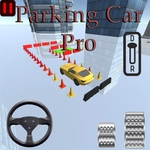
📝Parking Car Pro Overview
Squeeze through tight spots, reverse into narrow gaps, and nail the perfect angle before the timer runs out—one scratch and you're parking again.
💬What is Parking Car Pro?
You know that moment when you're circling the block and a spot finally opens up—then you realize it's narrower than your car? That's Parking Car Pro in a nutshell, except here the pressure's cranked up with timers, obstacles, and a whole lot of 3D camera work.
You'll guide a sedan (or fancier rides later) through parking lots, underground garages, and roadside spaces. Each level gives you a parking zone marked by glowing lines. Get the nose in, straighten out, and watch that little 'PARKED' confirmation pop up. Sounds simple? The first few levels are a warm-up. Then they throw in pillars, barriers, and moving traffic. One time I clipped a concrete bollard while reversing—instant fail, back to the start. The game doesn't hand out second chances.
Controls are mouse or touch: hold and drag to steer, or use on-screen buttons depending on device. The 3D view rotates with your input, so you can check your mirrors (well, the virtual ones). There's a satisfying click when you hit the sweet spot. The physics feel forgiving but not weightless—your car has inertia, so braking late means sliding into a curb.
I kept coming back because each level feels like a puzzle disguised as a parking job. You have to think about approach angle, when to straighten the wheels, and how much space you actually have. It's not about speed—it's about finesse. If you love driving games but hate pointless racing, this one scratches that itch without the twitchy chaos.
👥How to Play Parking Car Pro
Mouse click or tap to play
✨Game Tips
Approach wide: line up your car before entering the spot, not after.
Use the camera rotate button to check blind spots—especially behind pillars.
Brake earlier than you think; the car slides way more than a real sedan.
Watch the timer only after you've got the angle right; rushing causes mistakes.
Reverse parking is easier if you back in with wheels straightened, then adjust.
🔧FAQ
Q: Is Parking Car Pro free to play?
A: Yes, it's completely free in your browser—no downloads or sign-ups needed.
Q: Can I play Parking Car Pro on mobile?
A: Yes, the game supports touch controls and works on modern phones and tablets.
Q: Do I need to download anything to play?
A: No, it runs directly in your web browser using HTML5.
Q: What if the game lags on my laptop?
A: Close other tabs or lower your browser's zoom; the 3D view uses some GPU power.
Q: Are there different levels or just one parking lot?
A: Multiple levels with different locations, obstacles, and car types as you progress.
Q: Can I use a gamepad for Parking Car Pro?
A: The game is designed for mouse or touch, but some browsers may accept keyboard arrows.