
Parkour Craft 3D
Play Count0
Published2023-03-13
Supported DevicesPC
CategoryAdventure & RPG
Rating★★★★★5.0Rate this game
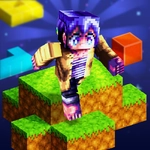
📝Parkour Craft 3D Overview
Leap, sprint, and wall-jump through a brutal blocky gauntlet where every missed step drops you into nothing.
💬What is Parkour Craft 3D?
I died on the same corner jump maybe eight times before I finally threaded the needle. Then I died on the next gap. That's Parkour Craft 3D — a game that looks like Minecraft but plays like a precision platformer with a grudge. You run, leap, and scramble across floating islands and crumbling towers, and every surface is up for grabs. The controls are simple (WASD to move, space to jump), but the timing is not. One late input and you're watching your blocky body ragdoll into the void.
The camera system is where the game gets sneaky. Hit C to cycle views, or V to pop into third-person for a better read on distance. I found first-person better for wall-jumps, but third-person saved me on long diagonal leaps where depth perception mattered. The Q skill adds a twist — you get a limited-use ability that can give you a mid-air boost or a brief speed burst, and saving it for the nastiest gaps changes everything. There's also F1 to hide the mouse cursor, which sounds minor but gets annoying when it drifts over the screen during a tense run.
It's not a long game, but each checkpoint resets the streak of perfection you're building. I kept coming back for "just one more attempt" because the failures never felt cheap — just my own twitchy fingers. If you like masocore platformers or just want a quick challenge during a break, this one scratches that itch without needing a download. Parkour Craft 3D lives up to its name: crafty, blocky, and relentlessly vertical.
👥How to Play Parkour Craft 3D
WASD/ARROW KEYS : MOVEMENT
SPACE : JUMP
C : CHANGE CAMERA VIEW
V : CHANGE POV FOR TPS MODE
Q : USE SKILL
F1 : TOGGLE MOUSE VISIBILITY
✨Game Tips
Swap to third-person with V before big diagonal jumps; first-person lies about distance.
Your Q skill recharges slowly — don't burn it on small gaps you can clear with a normal jump.
If the mouse cursor drifts onto the play area, press F1 to hide it and avoid misclicks.
Keep moving forward while jumping; momentum carries you further than standing starts.
Try the wall-jump chains: hit a wall and immediately jump off for extra height on tall obstacles.
🔧FAQ
Q: Is Parkour Craft 3D free to play?
A: Yes, it's completely free in your browser — no download or payment required.
Q: Can I play Parkour Craft 3D on mobile?
A: The controls are built for keyboard, so it's best on desktop. Mobile touch controls aren't supported.
Q: Do I need to install anything?
A: No, it runs directly in your web browser as an HTML5 game. Just open and play.
Q: What are the default controls?
A: WASD or arrow keys move, Space jumps, C changes camera, V toggles third-person, Q uses your skill.
Q: How do I hide the mouse cursor?
A: Press F1 to toggle mouse visibility off or on during gameplay.
Q: Is there a way to reset my progress?
A: The game is score/level based with checkpoints; refresh the page to start from the beginning.