
Parkour Sky
Play Count0
Published2021-04-15
Supported DevicesPC
CategoryAdventure & RPG
Rating★★★★★5.0Rate this game
📝Parkour Sky Overview
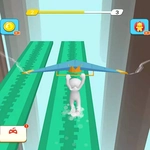
Swipe fast, land clean, and keep the sky-run alive as platforms crumble and the void yawns below every mistimed jump.
💬What is Parkour Sky?
Parkour Sky drops you onto a floating path in the middle of an endless blue nothing. No cutscene, no tutorial beyond 'swipe to move' — just you, a series of platforms, and the instant understanding that if you hesitate, you're gone. The control scheme is deceptively painless: drag left or right to sidestep, flick up to jump. But the physics care about how fast and how far you swipe. A short twitch barely clears a one-block gap; a huge yank overshoots the landing zone and sends you spiraling into the void. I died maybe twenty times before I stopped panicking and started measuring each input.
The level layout keeps changing, so there's no single route to memorize. You'll hit narrow ledges that force exact landings, moving platforms that drift away as you approach, and false paths that simply end. The camera angles slightly overhead, giving you just enough time to read the next two or three gaps, but not the whole route. That tight framing creates a great tension: you can plan the immediate jump, but you're always improvising the one after that. On a good run, your hands fall into a rhythm — swipe, land, scan, swipe — and it feels like the game is moving with you instead of against you.
What kept me coming back is the restart loop. Each failure takes about two seconds to reset, and you always know exactly what went wrong. No cheap hits, no random spikes. It's pure skill, and that makes the rare flawless segment of ten jumps in a row feel earned. If you want a parkour game that respects your time and punishes lazy thumbs, Parkour Sky is a solid choice for a quick session or a long obsession.
👥How to Play Parkour Sky
Drag your finger from left to right to avoid obstacles and follow the path!
Just swipe directions to play on the platform and slide your fingers in all directions to get the perfect shape.
✨Game Tips
Swipe shorter than you think — most gaps are one or two platform widths, not marathon jumps.
Keep your eyes near the top edge of the screen; the next platform often appears before your character reaches the current one.
Don't swipe diagonally for small gaps; a straight left or right input is much easier to control.
When a platform shakes, leave it immediately — it's about to crumble.
Pause for half a beat after landing on a narrow beam to reset your swipe position.
Use a mouse or stylus if you can; touch drags can cause accidental overshoots on small ledges.
🔧FAQ
Q: Is Parkour Sky free to play?
A: Yes, it's completely free to play in your browser.
Q: Can I play Parkour Sky on mobile?
A: Yes, the touch controls are built for phones and tablets, though a mouse works fine too.
Q: Do I need to download anything?
A: No downloads or installs — just open the page and start swiping.
Q: What's the best way to control my character?
A: Use short, controlled swipes instead of long drags; precise inputs beat fast ones.
Q: Why do I keep falling off the platforms?
A: Usually because you overshoot the landing or linger on a crumbling platform.
Q: Does Parkour Sky work offline?
A: It runs offline once the page loads, but you need internet to access the site initially.