
Parkour Skyblock
Play Count0
Published2023-06-23
Supported DevicesPC
CategoryAdventure & RPG
Rating★★★★★5.0Rate this game
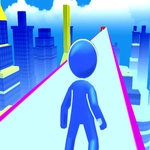
📝Parkour Skyblock Overview
Leap between floating islands in the sky, chain double jumps over bottomless voids, and see how far you can climb before your nerves snap.
💬What is Parkour Skyblock?
Parkour Skyblock drops you onto a tiny block hovering above an endless sky and dares you to move. The first thing I noticed was how floaty the jumps feel—not in a bad way, but in that 'oh no I overshot it' way that keeps you honest. Each island has a few scattered blocks, some tilted, some moving, and one screw-up sends you tumbling into the void. I died maybe forty times on the third island before I realized I could tap space for a short hop instead of holding it every time. That tiny change got me past a jump I'd been stuck on for ten minutes.
The progression is simple but addictive. You start on a single slab, hop to a slightly higher one, then a diagonal gap that looks impossible until you line your crosshair up with the edge. The game doesn't hold your hand—no checkpoints, no undo, just you and your own stubbornness. It reminds me of early Minecraft parkour servers where the trick was landing on the corner of a block to make the next jump barely possible. Here, falling means respawning at the start of that island, but the runs are short enough that you'll immediately try again. The lack of music keeps the sound of your own footsteps and the wind surprisingly tense.
Controls are straightforward: WASD or arrow keys to move, space to jump, and you can even double jump if you time it right—but the double jump has a weird cooldown that I still haven't fully mapped. The camera is first person, so you'll need to look down to judge distance, which is both immersive and occasionally nauseating when you fall. It's browser-based, so expect the occasional frame hitch, but nothing that ruins the flow. If you like precision platformers with a sky-high consequence for failure, this one's an easy time sink.
👥How to Play Parkour Skyblock
To move around the map you will have to use the scroll keys, the space bar to jump as much as you can, use it to move from left to right and the arrow to move forward.
✨Game Tips
Tap space lightly for a short hop; holding it gives a full jump that often overshoots tight platforms.
Aim for the corner of a block when landing—your hitbox is smaller than you think and it sets up the next jump.
Use the double jump as a safety net, not a primary move; save it for when you've already committed to a gap.
Look down at your feet before jumping across long gaps—the first-person camera can trick you into overestimating distance.
If you fall, don't rage-restart; watch where you missed and adjust your takeoff point next attempt.
Some blocks are slightly tilted, so land on the flattest edge you can find or you'll slide off.
🔧FAQ
Q: Is Parkour Skyblock free to play?
A: Yes, it's completely free in your browser with no paywalls or hidden fees.
Q: Can I play Parkour Skyblock on mobile?
A: It works on mobile browsers, but the touch controls for precise jumps are much harder than keyboard.
Q: Do I need to download anything to play?
A: No download or installation needed—just open the page and start jumping.
Q: Does Parkour Skyblock have any checkpoints or saves?
A: No, there are no checkpoints. If you fall, you restart the current island from the beginning.
Q: Can I change the camera view or controls?
A: The game uses fixed first-person view and standard keyboard controls, with no custom remapping.
Q: Is Parkour Skyblock unblocked for school or work?
A: It's hosted as an unblocked game, so it usually bypasses network filters, but your local network may still block it.