
Passenger Airplane: Flight 3D
Play Count0
Published2026-04-17
Supported DevicesPC + Mobile
CategoryAdventure & RPG
Rating★★★★★5.0Rate this game
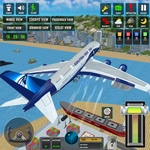
📝Passenger Airplane: Flight 3D Overview
Line up the runway, push the throttle, and feel the whole plane rattle as you lift a fully loaded 737 into the sky.
💬What is Passenger Airplane: Flight 3D?
There's a moment right after rotation when the runway drops away and you forget you're just dragging a mouse or tilting a joystick. Passenger Airplane: Flight 3D nails that feeling. You're not flying a toy; you're managing a heavy bird full of pretend passengers who will absolutely notice if you slam into the tarmac.
Controls are straightforward but forgiving enough to learn on the fly. Default joystick works for smooth inputs, but I switched to arrow keys almost immediately — that old keyboard muscle memory from other flight games kicks in. The throttle slider adds a nice racing vibe if you want to push the engines. Landing is where it gets tricky: you'll need to bleed off speed, line up with the centerline, and flare at just the right moment. Too fast and you bounce; too slow and you stall. I've crashed more times than I'll admit, but each attempt teaches you something about how the plane behaves.
What I appreciate is that it doesn't hold your hand. You're given a passenger airliner, a runway, and a sky full of possibilities. There's no combat, no time pressure unless you want it — just the simple pleasure of nailing a smooth approach. The 3D visuals are clean enough to give a sense of altitude and distance, though the real challenge is judging your descent rate. It's the kind of game you can zone out with for ten minutes or grind for an hour trying to perfect your touchdown.
👥How to Play Passenger Airplane: Flight 3D
Default: Joystick – Easy and smooth flying
Arrow Keys – Selectable from Settings
Slider Throttle – For race-style speed control
✨Game Tips
Use arrow keys instead of the joystick if you prefer precise, clicky inputs — they're available in settings.
On approach, cut throttle early and let the plane sink; you can always add a little power if you're short.
Watch the nose attitude: keep it slightly up as you cross the threshold to avoid a nosewheel-first landing.
If you're bouncing on touchdown, you're coming in too fast — try a longer final approach and reduce speed earlier.
Try the throttle slider for a more aggressive takeoff, but ease it back once airborne to save engine stress (and your sanity).
Practice go-arounds: if a landing feels wrong, throttle up and try again instead of forcing it.
🔧FAQ
Q: Is Passenger Airplane: Flight 3D free?
A: Yes, it's completely free to play in your browser.
Q: Can I play Passenger Airplane: Flight 3D on mobile?
A: The game works on mobile browsers, but a desktop with arrow keys or a joystick gives better control.
Q: Do I need to download Passenger Airplane: Flight 3D?
A: No download needed. It runs right in your web browser as an HTML5 game.
Q: What are the controls for Passenger Airplane: Flight 3D?
A: Default joystick, or switch to arrow keys in settings. Use the throttle slider for speed control.
Q: Is Passenger Airplane: Flight 3D suitable for beginners?
A: Yes, the controls are forgiving. Start with the joystick and practice takeoffs before landing attempts.
Q: Can I play Passenger Airplane: Flight 3D offline?
A: No, you need an internet connection to load the game in your browser.