
Paw Patrol Coloring
Play Count0
Published2021-02-19
Supported DevicesPC
CategoryKids & Educational
Rating★★★★★5.0Rate this game
📝Paw Patrol Coloring Overview
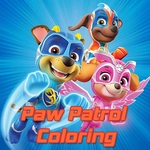
Grab a virtual crayon, click a friendly pup, and splash bright colors across Chase, Marshall, and the rest of the Paw Patrol in this free, kid-friendly coloring game.
💬What is Paw Patrol Coloring?
Paw Patrol Coloring keeps it simple: you get a stack of black-and-white scenes from the show, a palette of colors that would make a rainbow jealous, and zero pressure to stay inside the lines. Well, okay, some pressure if you're a perfectionist. I caught myself zooming in to fix a tiny patch of Skye's pink helicopter more than once.
The controls are exactly what you'd expect: mouse click or tap to pick a color, then click or tap the section you want to fill. No downloads, no sign-ups, no ads that ambush you every ten seconds. Just a clean grid of pictures—usually six or eight per page—and a color bar that feels surprisingly deep. You can pick soft pastels or go neon bright. Kids will figure it out in seconds, but even adults can zone out for a few minutes. There's an undo button, which is a lifesaver when you accidentally turn Rubble's bulldozer the same color as his fur and suddenly he's invisible.
It's not a complex game, and that's the point. If you've got a little Paw Patrol fan who's too young for action games, this is a safe, calm corner of the internet. The images are recognizable—Marshall in his fire truck, Zuma near the water, the whole gang in a group shot—and the coloring mechanics are forgiving. There's no timer, no score, no way to lose. That might sound boring to a grown-up, but for a five-year-old it's pure freedom. I'd even recommend it for the parent who needs ten minutes of quiet while dinner cooks. Overall, Paw Patrol Coloring doesn't pretend to be anything more than a digital coloring book, but it does that job with enough charm and zero friction to keep young kids happy.
👥How to Play Paw Patrol Coloring
Use your mouse to play the game or tap on the screen.
✨Game Tips
Start with bigger sections first—backgrounds and large areas—so the smaller details don't get accidentally colored over when you switch colors.
Use the undo button generously; it's the only way to fix a stray click without starting the picture over.
For characters like Chase, test dark blue and light blue next to each other before filling his uniform so the contrast looks right.
If you're on a phone, pinch to zoom or use the zoom icons to reach tiny details like badges and eyes.
Encourage kids to try unexpected colors—a green Skye helicopter might become their favorite creation.
Keep the volume low; the background music is cheerful but repetitive after a few pictures.
🔧FAQ
Q: Is Paw Patrol Coloring free to play?
A: Yes, it's completely free with no hidden fees or premium unlocks.
Q: Can I play Paw Patrol Coloring on my phone or tablet?
A: Yes, it works in any modern browser with touch controls—just tap to pick colors and fill sections.
Q: Do I need to download anything to play?
A: No, it runs right in your browser as an HTML5 game. Just load the page and start coloring.
Q: Is this game safe for young kids?
A: Absolutely. There are no ads, no chat features, and no external links. Just coloring pages of Paw Patrol characters.
Q: How many pictures are there to color?
A: The game includes multiple Paw Patrol scenes and character pages; the exact number varies but there's enough to keep kids busy.
Q: Can I save or print my finished pictures?
A: Usually you can only view them in the browser. For saving, take a screenshot or use the browser's print function if available.