
PAW Patrol Coloring Book
Play Count0
Published2021-08-25
Supported DevicesPC + Mobile
CategoryKids & Educational
Rating★★★★★5.0Rate this game
📝PAW Patrol Coloring Book Overview
Fire up the coloring pages and give Marshall, Zuma, and the rest of the pups a brand-new look with every stroke of your mouse.
💬What is PAW Patrol Coloring Book?
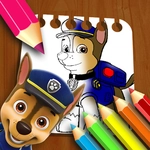
Coloring books hit different when they're digital, and PAW Patrol Coloring Book gets that. You pick a page featuring Chase, Skye, Marshall, or any of the crew, then just click and drag to fill the outlines with color. The mouse acts like a brush — hold the button down and sweep across the picture. I ended up spending way longer than I planned coloring Chase's police truck because the color changes feel satisfying, like you're actually painting but without the cleanup.
Kids will latch onto it immediately since the controls are dead simple, and there's no timer or score pressure. You can color the sky green and the grass purple and nobody cares. My favorite moment was realizing I could mix shades by coloring over an area twice — it gives a slightly darker tone, which is great for shading under the pups' collars. The pages are clean and simple enough for small hands, but the lines are thick enough that you don't need surgical precision.
If you need a quiet activity for a car ride or just want five minutes of brain-off clicking, this does the job. It won't replace a console game, but as a free browser coloring book, it's a solid pick. Just don't expect a save button — if you want to keep your masterpiece, screenshot it.
👥How to Play PAW Patrol Coloring Book
Use the Mouse
Drag to Coloring!
✨Game Tips
Slow, steady mouse drags will keep your color inside the lines — rushing just leaves white specks everywhere.
Click a color swatch once to load it, then drag anywhere; you don't need to re-click for every stroke.
Layer the same color twice on a spot to get a darker shade, perfect for shadows under collars or wheels.
If you mess up, just grab white and paint over the mistake — it blends right back into the page.
Start with the biggest areas first, then move to the small details like badges and eyes.
🔧FAQ
Q: Is PAW Patrol Coloring Book free to play?
A: Yes, it's completely free in your browser with no hidden costs or in-game purchases.
Q: Can I play PAW Patrol Coloring Book on my phone or tablet?
A: The game works on most modern mobile browsers, but a mouse or stylus gives you much better control for coloring.
Q: Do I need to download or install anything?
A: No downloads needed — just open the game page and start coloring right away.
Q: What age group is this game best for?
A: It's designed for young kids, roughly ages 3 to 8, but anyone who enjoys simple coloring will have fun.
Q: Can I save or print my colored pages?
A: The game doesn't have a built-in save button, so take a screenshot if you want to keep your work.
Q: Is there a time limit or score in this game?
A: No, there's no timer or scoring — you can color at your own pace and take breaks whenever you like.