
PeppaPig Coloring Book
Play Count0
Published2021-08-20
Supported DevicesPC + Mobile
CategoryKids & Educational
Rating★★★★★5.0Rate this game
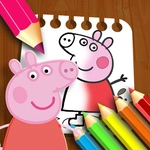
📝PeppaPig Coloring Book Overview
Grab your virtual crayons and bring Peppa's world to life one tap at a time — no mess, no broken tips, just pure coloring joy.
💬What is PeppaPig Coloring Book?
This isn't one of those coloring games where you accidentally paint outside the lines and get a red scribble across Peppa's face. You actually drag the mouse to fill areas, which feels surprisingly satisfying when a flat black-and-white outline suddenly pops into a muddy puddle or a bright red dress. I kept going back to the same page just to watch the colors flood in.
There's a decent handful of Peppa scenes here — Peppa jumping in puddles, Suzy Sheep, George with his dinosaur. The palette sits on the side, and you click a color then drag over the section you want. It's forgiving: if you overshoot, nothing gets ruined, which is exactly what you want when a five-year-old is at the keyboard. The mouse drag mechanic means you don't need pixel-perfect aim, so it feels more like finger painting than careful art class.
What caught me off guard is how relaxing it becomes. You'd think coloring a cartoon pig would be boring after thirty seconds, but there's a weird little flow to finishing the sky, then the grass, then deciding if Peppa's boots should be yellow or green. No timers, no score, no way to fail. Just you and a digital coloring book that actually works without crayon wax under your nails.
👥How to Play PeppaPig Coloring Book
Use the Mouse
Drag to Coloring!
✨Game Tips
Pick a light color first and drag it across large areas like the sky or ground — it's faster and avoids smudging darker shades into white spaces.
Use the mouse drag slowly; if you move too fast, the fill might skip tiny corners near outlines.
Don't worry about staying in the lines perfectly — the game lets you recolor any section just by dragging over it again.
Try unconventional colors: a purple Peppa or orange George makes the whole page feel fresh and it's more fun for kids.
After finishing a page, take a screenshot or show it to someone — the images aren't saved automatically, so capture your work before closing the tab.
🔧FAQ
Q: Is PeppaPig Coloring Book free to play?
A: Yes, it's completely free in your browser, no payments or subscriptions needed.
Q: Can I play PeppaPig Coloring Book on my phone?
A: Yes, it works on mobile browsers using touch drag instead of mouse, though a larger screen is easier for small hands.
Q: Do I need to download or install anything?
A: No, it runs directly in your web browser as an HTML5 game, no downloads or plugins required.
Q: What age is this game suitable for?
A: Perfect for toddlers and young kids, roughly ages 3 to 7, but anyone who likes Peppa Pig will enjoy it.
Q: Can I save my finished coloring pages?
A: The game doesn't have a built-in save button, so take a screenshot or use your browser's print option to keep your art.
Q: Does PeppaPig Coloring Book work on school computers?
A: Yes, it's unblocked and runs on most school networks since it's just a simple browser game with no external content.