
Perfect Turn
Play Count0
Published2020-08-07
Supported DevicesPC
CategoryAdventure & RPG
Rating★★★★★5.0Rate this game
📝Perfect Turn Overview
There's a moment before a hairpin bend where everything goes quiet — then you tap the key and hope you judged the angle just right. Perfect Turn is all about that half-second decision.
💬What is Perfect Turn?
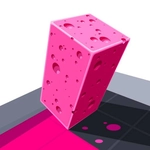
There's a moment right before a sharp bend where everything goes quiet. Your thumb hovers, your eye traces the curve, and then you commit. Perfect Turn builds its entire challenge around that tiny window of judgment. You're moving forward automatically — no speed control, no brakes, no mercy. Your only job is to steer left or right at exactly the right instant to stay on the track, thread through gaps, and avoid clipping the walls. The controls are dead simple (WASD or arrows), which means every failure feels like your own fault, not the game's. I kept slamming into the same corner because I'd swing wide on a hairpin, holding the key down like I was driving a bus. Once I learned to tap instead of hold, I started threading gaps I'd sworn were impossible. That's the hook — it's not about reaction speed, it's about reading geometry and trusting your timing.
The 3D visuals keep things clean and readable, so you're never fighting the camera. The track ahead looms into view, and you get just enough time to plan your turn before you're on top of it. Obstacles shift as you progress, adding elevation changes and tighter sequences that punish lazy steering. I found myself leaning in my chair on the really tight ones, which is always a good sign. What makes Perfect Turn stick is that it feels fair. You'll crash a lot early, but each wipeout teaches you something about how the turning physics work — how much drift you get, when to cut the corner, when to swing wide. There's no timer, no score chasing enemies, just you against the geometry. It's the kind of game you'll reopen 'for one more run' and lose twenty minutes to without noticing.
👥How to Play Perfect Turn
WASD or Arrow Buttons = Move
✨Game Tips
Tap the keys instead of holding them for tighter turns — holding sends you wide on hairpins.
Cut the inside of a corner only if you've already started the turn early; late cuts clip the wall.
Watch the track's edge lines, not the center — they show you the true curve radius.
If a gap looks slightly too narrow, trust it; the hitbox is more forgiving than it looks.
Let off the key a split second before you think you need to — momentum will finish the turn.
When you crash, replay the section in your head and adjust by a hair; the margin is that small.
🔧FAQ
Q: Is Perfect Turn free to play?
A: Yes, it's completely free in your browser with no paywalls or extra downloads.
Q: Can I play Perfect Turn on mobile?
A: The web version works on most phones, but keyboard controls feel way more precise on PC.
Q: Do I need to download anything?
A: No downloads — just open the game page and it runs instantly as HTML5.
Q: What are the controls?
A: Use WASD or arrow keys to steer left and right. Speed is automatic, you only control direction.
Q: Is Perfect Turn safe for school?
A: Yes, no violence or inappropriate content. It's a clean precision game that plays fine unblocked.
Q: Why does my character keep crashing?
A: You're probably holding the turn key too long. Try quicker taps and start your turn earlier than feels natural.