
Pirate Jack
Play Count0
Published2021-09-07
Supported DevicesPC + Mobile
CategoryAdventure & RPG
Rating★★★★★5.0Rate this game
📝Pirate Jack Overview
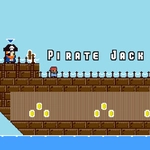
Leap across creaking masts, dodge cannon fire, and double-jump your way through pirate-infested islands in this swashbuckling platformer.
💬What is Pirate Jack?
Right, so you're a pirate—except you don't have a ship for most of this. You're on foot, hopping between wooden platforms, rusty cannons, and rope bridges while angry sailors and spiky traps try to knock you into the drink. The controls are dead simple: WASD to move, and tap jump twice for a double jump. But don't let that fool you. The timing on that second jump becomes your lifeline.
The first time I nailed a double jump over a swinging anchor while a cannonball whizzed past, I felt like an actual acrobat. It's all about rhythm—knowing when to commit to a leap, when to stall mid-air for that extra inch. There are coins scattered in stupidly dangerous spots, and you'll risk your neck for them because, well, pirate. There's no complicated story, no skill tree. Just you, a bunch of ledges, and the sea waiting below if you miss.
It's not a long game, but it's the kind you replay when you have ten minutes and want something that demands focus without a tutorial. I kept coming back to beat my own routes. The mobile touch controls work fine, but keyboard feels tighter for the harder jumps.
👥How to Play Pirate Jack
*Move to WASD & Mobile Touch Control
*Double Jump Available
✨Game Tips
Master the double jump timing—don't use the second jump immediately; wait until you've cleared the first apex.
Spend a life or two just watching the cannon pattern before rushing forward.
Coins often mark the intended path, but the risky route usually hides extra treasure.
On mobile, thumbs further apart reduce accidental taps.
If a jump feels impossible, you might be missing a hidden platform just off-screen.
Save your second jump for getting out of trouble, not just reaching ledges.
🔧FAQ
Q: Is Pirate Jack free to play?
A: Yes, Pirate Jack is completely free to play online with no download needed.
Q: Can I play Pirate Jack on my phone?
A: Yes, the game supports mobile touch controls, so you can play it in your mobile browser.
Q: Do I need to download Pirate Jack?
A: No, Pirate Jack runs directly in your web browser using HTML5 technology.
Q: What are the controls for Pirate Jack?
A: Use WASD keys to move, and press the jump key twice to perform a double jump. On mobile, use on-screen touch buttons.
Q: Does Pirate Jack work on school Chromebooks?
A: Yes, since it's a browser game, Pirate Jack works on Chromebooks and most school devices without installation.
Q: Is there a way to save progress in Pirate Jack?
A: Pirate Jack does not have a save system; each run starts fresh, which makes it perfect for quick sessions.