
Pixel Coloring Kids
Play Count0
Published2021-05-12
Supported DevicesPC
CategoryKids & Educational
Rating★★★★★5.0Rate this game
📝Pixel Coloring Kids Overview
Ready to turn blank grids into colorful masterpieces? Pick a number, match the color, and watch each pixel pop in this chill coloring app.
💬What is Pixel Coloring Kids?
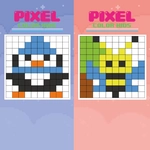
Pixel Coloring Kids drops you onto a clean grid full of tiny squares, each stamped with a number. Your job? Find that number in the palette, tap the matching color, and start filling. Sounds simple, and it is—but that's exactly why it works. The pictures range from cute animals to simple vehicles, all broken into chunk-sized sections that don't overwhelm little hands. I spent ten minutes on a rocket ship and felt oddly proud when the final pixels locked into place.
What surprised me is how well it handles touch controls. On my tablet, the zoom is responsive enough to tap individual cells without fat-fingering the wrong spot. On desktop, the mouse clicks feel just as snappy. There's no timer, no score, no fail state—just a quiet gallery of half-finished art waiting for color. If you mess up, the undo button lives in the corner, which saved my sanity more than once.
For parents, this is the kind of game you can hand over without worrying about violence or in-app purchases. It's pure, screen-tapping creativity. And honestly, adults might sneak in a few rounds too—color-by-number has a meditative quality that's hard to resist after a long day. Just don't blame me if you lose track of time.
👥How to Play Pixel Coloring Kids
Use mouse ou touch to interact
✨Game Tips
- Start with larger pictures to learn where the color key sits on the screen.
- Use the zoom function on phones—small squares are much easier to tap when enlarged.
- Switch to the smallest brush size for clean corners and tight pixel clusters.
- Memorize common numbers in the palette; they repeat across different images, so you'll speed up naturally.
- Don't stress over mistakes—the undo button is unlimited and reacts instantly.
🔧FAQ
Q: Is Pixel Coloring Kids free to play?
A: Yes, it's completely free in your browser with no hidden paywalls.
Q: Can I play Pixel Coloring Kids on my phone or tablet?
A: Absolutely. The touch controls work smoothly on any mobile device.
Q: Do I need to download or install anything?
A: No downloads needed—it runs right in your web browser as HTML5.
Q: What age group is this game best for?
A: It's designed for young kids, roughly ages 4-10, but anyone can enjoy it.
Q: Will my progress be saved automatically?
A: Your current picture stays loaded while the tab is open; closing it resets the gallery.
Q: Are there any in-game purchases or ads?
A: The browser version has no purchases, though banner ads may appear on the hosting site.