
Pixel Dragon
Play Count0
Published2022-10-25
Supported DevicesPC
CategoryAdventure & RPG
Rating★★★★★5.0Rate this game
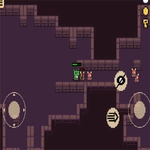
📝Pixel Dragon Overview
A tiny pixel dragon needs your help to survive spike-filled caves, lava pits, and crumbling ruins in this retro side-scroller.
💬What is Pixel Dragon?
The first thing I noticed about Pixel Dragon is how tight the controls feel—it might sound like a small thing, but in a game built around precise jumps over spike pits, it's everything. You play as this tiny, blocky dragon with a surprisingly expressive face—part cute, part determined—and you'll guide it through lava caves, crumbling ruins, and other pixelated danger zones. The game doesn't hold your hand: one mistimed leap and you're back at the last checkpoint, which can be brutally far back.
The level design leans into classic side-scroller logic. There are gems scattered everywhere, often in spots that require a deliberate detour. Do you grab the cluster near the lava fall and risk a slide into instant death? I kept coming back to a particular jump in the second area—a triple gap with moving platforms that always seemed to shift just as I committed. When I finally cleared it, I actually exhaled. That's the kind of tension Pixel Dragon nails.
What surprised me was the small touches: the dragon's idle animation flicking its tail, the way the screen subtly shakes when you land a hard drop, the sound of gems clinking like tiny chimes. It's the kind of game that's easy to pick up for five minutes and suddenly realize an hour has disappeared. The difficulty ramps steadily, but it never feels unfair—every death taught me something about timing or enemy patterns. If you enjoy retro platformers that respect your patience but demand your attention, this one will sink its claws in.
👥How to Play Pixel Dragon
Use Mouse To Play and Keyboard
✨Game Tips
Master the double jump by tapping jump again at the peak of your first hop—not on the way up.
Enemies often have predictable paths; watch one full cycle before charging in.
If a gem cluster looks too risky, skip it. There's no 100% requirement, and death costs time.
The dragon's tail can clip through spikes, so aim jumps slightly earlier than you think.
Hidden rooms usually sit above the main path near checkpoints—check ceilings.
Use the mouse click to trigger environmental switches when your keyboard hand is busy dodging.
🔧FAQ
Q: Is Pixel Dragon free to play?
A: Yes, it's completely free to play in your browser with no hidden costs.
Q: Can I play Pixel Dragon on my phone?
A: The game works on mobile browsers, but a keyboard is recommended for the best experience.
Q: Do I need to download or install anything?
A: No downloads needed—Pixel Dragon runs directly in your browser as an HTML5 game.
Q: What are the controls for Pixel Dragon?
A: Use arrow keys or WASD to move and jump. The mouse can also be used for certain interactions.
Q: Can I save my progress in Pixel Dragon?
A: The game uses automatic checkpoints; your progress within a level is saved until you close the tab.
Q: Is Pixel Dragon suitable for kids?
A: Yes, it's family-friendly with mild fantasy action and no violence beyond avoiding obstacles.