
Plane Runner 3D
Play Count0
Published2026-03-30
Supported DevicesPC + Mobile
CategoryAdventure & RPG
Rating★★★★★5.0Rate this game
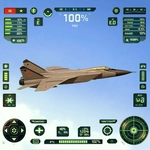
📝Plane Runner 3D Overview
Dodge skyscrapers, weave through cloud canyons, and keep your plane from turning into scrap metal in this relentless 3D runner.
💬What is Plane Runner 3D?
I'll be honest: I died about eight times in my first two minutes with Plane Runner 3D. The game drops you into a narrow neon corridor and immediately asks you to thread the needle between floating barriers while the speed creeps up. You steer left and right with WASD or arrow keys (or tilt on touch), and that's it — no fluff, no cutscenes, just pure reaction.
What got me hooked was the rhythm. Once you accept that you're always moving forward, the game becomes less about panic and more about anticipation. I started reading the gaps two or three obstacles ahead, tapping the keys in short bursts instead of holding them. That tiny adjustment changed everything. The 3D perspective makes depth tricky at first, but the hitbox feels fair — if the wing tip clips a wall, you know it was your fault. The visual style is clean and stylized, almost like a synthwave daydream, and the gentle hum of the engine keeps you locked in.
It's the kind of game you open for a quick run during a boring class and then realize twenty minutes vanished. No upgrades, no story, no gimmicks. Just you, a plane, and an increasingly rude obstacle course. And honestly? That's enough. There's a subtle satisfaction in beating your previous distance by even ten meters, especially when the speed kicks up and you narrowly slip through a gap you swore was impossible.
👥How to Play Plane Runner 3D
Press WASD or Arrow keys or press game screen left and right
✨Game Tips
Tap the keys in short pulses instead of holding them down to keep sharper control.
Look ahead at the next two gaps, not the obstacle right in front of you.
On touch screens, keep your thumb near the center and slide rather than tap.
If the speed ramps up, don't panic — the gaps often widen slightly before tightening again.
Let go of the controls for a split second if you're overcorrecting; the plane flies straight on its own.
🔧FAQ
Q: Is Plane Runner 3D free to play?
A: Yes, it's completely free. No payment or subscription required.
Q: Can I play Plane Runner 3D on my phone?
A: Yes, the game supports touch controls. Tilt or swipe left/right on the screen.
Q: Do I need to download anything to play?
A: No downloads needed. It runs right in your browser using HTML5.
Q: What are the controls for Plane Runner 3D?
A: Use WASD or arrow keys on desktop, or tap or swipe left and right on mobile.
Q: Is Plane Runner 3D unblocked at school?
A: Usually yes. It's hosted on unblocked games sites so you can play without restrictions.
Q: Does Plane Runner 3D save my high score?
A: It depends on the site, but most versions keep a local high score in your browser.