
Plants vs Zombies Coloring
Play Count0
Published2025-01-20
Supported DevicesPC + Mobile
CategoryKids & Educational
Rating★★★★★5.0Rate this game
📝Plants vs Zombies Coloring Overview
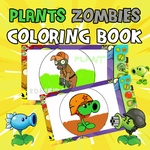
Grab your virtual crayons and bring the zany Plants vs Zombies crew to life, one click at a time — no zombies will eat your brains while you color.
💬What is Plants vs Zombies Coloring?
I'll be honest: when I saw 'coloring' in the title, I almost skipped it. Then I clicked a zombie's head and watched it turn a ridiculous shade of purple, and I was hooked. This is basically a digital coloring book with all your favorite Plants vs Zombies characters, from the peashooter to the buckethead zombie. You get a palette of colors on the side, and you just click any area to fill it. No timers, no fail states, just pure color therapy with a side of plant-based warfare nostalgia.
The controls are as simple as it gets: move your mouse, click, done. But the real fun comes from experimenting with wild combinations. I spent ten minutes making a sunflower with neon pink petals and a zombie with lime green skin, and honestly, it looked like a mess — but a hilarious mess. If you're someone who used to spend recess coloring outside the lines, this will scratch that itch. The pages are well-drawn too, with thick outlines that make filling easier, even on smaller screens.
One thing to note: it's not a game with objectives. You won't unlock anything or earn points. It's just a relaxing way to kill ten minutes between classes or while waiting for a download. If you have a younger sibling or just need to decompress, this is perfect. And since it runs right in your browser, there's nothing to install.
👥How to Play Plants vs Zombies Coloring
Mouse
✨Game Tips
Start with larger areas first, like backgrounds or bodies, to get a base color down before tackling tiny details.
Use a dark shade for outlines and a light shade for highlights if you want the page to look more professional.
Click slowly around edges; if you misclick, just fill the same area again with the correct color.
Try unexpected color swaps — a purple peashooter is way more fun than the standard green.
If you get bored with one character, switch pages; most coloring games have multiple sheets to choose from.
Take a screenshot of your finished art to show off, since the game doesn't save automatically.
🔧FAQ
Q: Is Plants vs Zombies Coloring free to play?
A: Yes, it's completely free. There are no hidden paywalls or in-game purchases.
Q: Can I play Plants vs Zombies Coloring on my phone?
A: Yes, it works in mobile browsers. The touch controls work just like clicking with a mouse.
Q: Do I need to download anything to play?
A: No download needed. It runs directly in your browser, just click and start coloring.
Q: Is this game suitable for kids?
A: Absolutely. There's no violence or scary content, just friendly plant and zombie characters to color.
Q: How many coloring pages are there?
A: The game usually includes several pages with different Plants vs Zombies characters. You can pick any from the menu.
Q: Can I save my colored pictures?
A: The game doesn't auto-save your work, but you can take a screenshot to keep your masterpiece.