
Playnec Car Stunt
Play Count0
Published2020-08-31
Supported DevicesPC
CategoryAdventure & RPG
Rating★★★★★5.0Rate this game
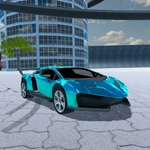
📝Playnec Car Stunt Overview
Strap in and launch off ramps at full nitro, flipping through desert air while the camera spins around you — that's Playnec Car Stunt.
💬What is Playnec Car Stunt?
You get a car, a big stretch of desert, and a nitro button that begs to be mashed. Playnec Car Stunt drops you into a sunbaked arena full of orange ramps, loop-like structures, and plenty of empty air to twist through. The physics sit somewhere between arcade and "oh no, I'm upside down again" — which is exactly where a stunt game should live. I lost count of how many times I slammed the N key right before a ramp, expecting a clean launch, only to watch the car snap into a violent barrel roll that ended with the roof buried in sand.
The controls are dead simple: arrow keys or WASD to move, N for nitro, C to cycle the camera. That camera button matters more than you'd think. The default chase view is fine for lining up a jump, but hit C mid-air and you'll get a side or top angle that makes the flip feel way more dramatic. Careful, though — switching cameras while spinning can leave you disoriented, and suddenly you're driving backward into a dune. (Guilty.) One run I hit a ramp at full boost, tapped C, and watched my own car execute a lazy double backflip from a cinematic angle while I frantically tried to remember which key was forward.
It's not a deep simulation. There's no career mode, no upgrade tree, no rival racers breathing down your neck. Just you, a car, and a physics sandbox that resets quickly after each crash so you can try the same stupid jump again immediately. That loop is weirdly addictive — five minutes turns into twenty without you noticing. If you like silly vehicular chaos and don't mind eating sand once in a while, this one's worth a spin.
👥How to Play Playnec Car Stunt
Navigation: "ARROW KEYS" - "WASD"
Nitro: "N"
Change camera: "C"
✨Game Tips
Save your nitro for the exact moment your front wheels touch the ramp lip — early boost just burns speed.
Tap C right after leaving a ramp to get a cinematic angle, but don't switch mid-spin or you'll lose orientation.
Let off the gas when landing on a downslope; holding accelerate makes the car bounce and spin out.
Hit ramps at a slight angle to initiate barrel rolls instead of straight backflips.
If you're tumbling uncontrollably, release all keys for a second — the car settles faster when you're not fighting the physics.
Use the camera to line up your landing zone before each jump; a clean landing keeps your momentum for the next ramp.
🔧FAQ
Q: Is Playnec Car Stunt free to play?
A: Yes, it's completely free in your browser with no download or payment required.
Q: Can I play Playnec Car Stunt on my phone?
A: The game works best with a keyboard, but most mobile browsers can load it with touch controls if supported.
Q: Do I need to download anything to play?
A: No downloads needed. It runs straight in your web browser as an HTML5 game.
Q: What are the controls for Playnec Car Stunt?
A: Use arrow keys or WASD to drive, press N for nitro boost, and C to change the camera angle.
Q: Is Playnec Car Stunt multiplayer?
A: No, it's a single-player stunt driving game focused on pulls and flips.
Q: Does Playnec Car Stunt have different cars or levels?
A: The base game usually features one car in an open stunt area, but some versions add extra ramps.