
Pokemon Coloring Books
Play Count0
Published2024-11-19
Supported DevicesPC + Mobile
CategoryKids & Educational
Rating★★★★★5.0Rate this game
📝Pokemon Coloring Books Overview
Grab your digital crayons and bring Pikachu, Charmander, and the whole crew to life one pixel at a time.
💬What is Pokemon Coloring Books?
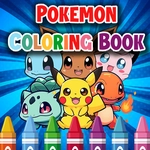
Pick a page, any page—there's a stack of black-and-white Pokemon outlines waiting for color. You get Pikachu, Bulbasaur, Squirtle, and a bunch of other familiar faces. The palette sits right there on screen, bright and ready. Tap a shade, then tap an area on the drawing. It floods with color instantly. No messy crayons, no broken tips. I spent way too long trying to make a purple Charizard look menacing. It just looked like a grape with wings.
The controls are dead simple: mouse click or finger tap. That's it. The fill tool works best when an outline is completely closed. If a color bleeds into another section, you'll notice that tiny gap in the line. Fixing it means either undo or picking a new color and going over the mistake. On phone, pinch to zoom helps with tiny details like eyes and tail flames. I found myself zooming in constantly just to make sure Pikachu's cheeks were actually red and not pink. It's oddly satisfying.
It's a chill game, nothing punishing. No timer, no score, no wrong answers. Kids will love the instant gratification. Adults will secretly enjoy it too. The best part? You can make a green Jigglypuff and nobody can stop you. After you finish a page, take a screenshot if you want to keep it—the game doesn't auto-save your masterpiece.
👥How to Play Pokemon Coloring Books
Mouse click or tap to play
✨Game Tips
Start with the largest background areas first, then move to small details so you don't accidentally cover fine lines.
Use the undo button immediately if a color bleeds outside a line—waiting makes it harder to fix cleanly.
On mobile, pinch to zoom when coloring eyes, cheeks, or tiny paws; it's way easier than tapping blind.
Try a weird color scheme: a blue Charmander or a green Pikachu is surprisingly fun and completely harmless.
Switch brush sizes if available—small for tight spots, big for open sky or grass.
Screenshot your finished page before selecting a new one, since the game doesn't save your work automatically.
🔧FAQ
Q: Is Pokemon Coloring Books free?
A: Yes, it's completely free to play in your browser with no hidden fees or subscriptions.
Q: Can I play Pokemon Coloring Books on mobile?
A: Yes, the touch controls work on phones and tablets, just tap the screen to color.
Q: Do I need to download anything?
A: No download needed—it runs in a web browser using HTML5, so just open the page and play.
Q: Does the game save my colored pages?
A: No, the game does not save automatically, but you can take a screenshot to keep your artwork.
Q: Is this game suitable for young kids?
A: Absolutely, there's no violence, no timer, and no reading required—just tap and color.
Q: Can I use a mouse on a computer?
A: Yes, a mouse click works perfectly for selecting colors and filling in areas.