
Pokemon Jigsaw Puzzles
Play Count0
Published2021-08-26
Supported DevicesPC + Mobile
CategoryAdventure & RPG
Rating★★★★★5.0Rate this game
📝Pokemon Jigsaw Puzzles Overview
Piece by piece, Pikachu and friends snap into place — start dragging and feel the jigsaw click that turns chaos into Pokémon art.
💬What is Pokemon Jigsaw Puzzles?
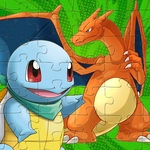
You know that weirdly satisfying moment when a jigsaw piece clicks into place and the image suddenly makes sense? That's basically this entire game, except the pictures are Pokémon. You get a tray full of shuffled pieces, a faint preview of the finished artwork, and a blank canvas waiting for Pikachu's face to slowly emerge.
The controls are dead simple: click and drag a piece, drop it where it belongs. The game snaps it in with a little visual and sound feedback that feels way more rewarding than it should. I found myself rotating my head to match an edge piece's curve, completely forgetting I was just supposed to be wasting five minutes. The difficulty ramps up nicely—some puzzles start with 12 easy chunks, while others throw a full grid at you and dare you to distinguish Charmander from a background flame. That's where the real brain workout kicks in, especially if you refuse to use the preview like I did on my third puzzle.
What I really like is how low-pressure it is. No timer breathing down your neck, no wrong-move penalties. If you drop a piece in the wrong spot, it just slides back. Perfect for kids or anyone who wants a chill break without losing progress. You can play with a mouse on a computer or just tap pieces on a tablet/phone screen. There's something quietly therapeutic about organizing edge pieces first, then filling the center while humming the old Pokémon theme. If you're a fan of the franchise or just want a brain teaser that doesn't punish you, this one's worth bookmarking.
👥How to Play Pokemon Jigsaw Puzzles
drag the jigsaw pieces to the right place
✨Game Tips
Edge pieces first: build the frame so you have anchor points for everything else.
Don't ignore the preview—use it to check color clusters and background shapes.
Separate pieces by dominant color before you start dragging; it saves tons of scanning time.
If a piece won't snap, zoom out and check whether you've placed a neighboring piece slightly off.
On touchscreen, use a stylus or your finger to drag precisely; smaller pieces are easier with a light touch.
Take a break from the center and tackle corners in pairs—two connected corners give you a solid reference line.
🔧FAQ
Q: Is Pokemon Jigsaw Puzzles free to play?
A: Yes, it's completely free in your browser without any hidden fees.
Q: Can I play Pokemon Jigsaw Puzzles on my phone?
A: Yes, the touch controls work on mobile and tablet browsers.
Q: Do I need to download or install anything?
A: No downloads needed—just open the game and start dragging pieces.
Q: Does the game require an internet connection?
A: You need internet to load the page, but it runs directly in your browser.
Q: What age group is it suitable for?
A: Kids and adults will enjoy it; the easy puzzles are perfect for young Pokémon fans.
Q: Can I save my progress or choose difficulty?
A: The game usually offers multiple puzzle sizes, and you can restart any image anytime.