
Police Cars
Play Count0
Published2020-01-28
Supported DevicesPC
CategoryAdventure & RPG
Rating★★★★★5.0Rate this game
📝Police Cars Overview
Slip behind the wheel of a squad car, hit the siren, and tear through city streets — because outrunning your own mistakes is half the fun in Police Cars.
💬What is Police Cars?
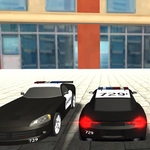
You know that itch to just drive a police car with zero paperwork? Police Cars scratches it. The game drops you into a modest 3D city block, hands you WASD, and says go. No missions, no suspects, no ticking clock — just you, a squad car, and a surprisingly forgiving physics engine. I found myself launching off curbs and fishtailing through intersections within seconds, the siren wailing as I clipped a fire hydrant. It's dumb fun in the best way.
What keeps me coming back is how the car handles. It's not a hardcore sim; it leans arcade. You can hold W, tap A and D to weave, and drift around corners without spinning out every time. There's something oddly meditative about patrolling the empty streets, then suddenly slamming the brakes to watch the car rock forward. The Escape button yanks you back to the main menu instantly, which is nice when you've wedged yourself between a building and a bus stop. Don't expect a career mode or unlockables — this is a sandbox with a badge. The graphics are chunky but clean, with just enough detail to make the squad car feel like yours.
👥How to Play Police Cars
WASD to control police car
Escape/tab to main menu
✨Game Tips
Keep your speed moderate around tight corners; the car's weight shifts fast.
Tap A or D in quick bursts to straighten out after a drift instead of overcorrecting.
Use the siren as a rhythm — it helps you time your turns on long straights.
If you get stuck on geometry, let off the gas and reverse slowly; don't mash W.
Press Escape mid-crash for an instant reset to the menu.
🔧FAQ
Q: Is Police Cars free to play?
A: Yes, it runs entirely in your browser with no hidden fees.
Q: Can I play Police Cars on my phone?
A: The game is designed for keyboard controls, so a desktop or laptop works best.
Q: Do I need to download anything to play Police Cars?
A: No downloads are required — just open the page and start driving.
Q: What are the controls for Police Cars?
A: Use WASD to drive the police car, and press Escape or Tab to return to the main menu.
Q: Is Police Cars unblocked at school?
A: It's hosted on unblocked games sites, so it should work on most school networks.
Q: Does Police Cars have multiplayer or missions?
A: No, it's a single-player free-roam sandbox without missions or online multiplayer.