
Police vs Zombies
Play Count0
Published2021-06-22
Supported DevicesPC + Mobile
CategoryAdventure & RPG
Rating★★★★★5.0Rate this game
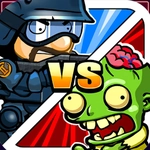
📝Police vs Zombies Overview
Barricade yourself behind police cruisers and mow down wave after wave of shambling corpses before they tear through your defenses.
💬What is Police vs Zombies?
I spawned behind a flipped squad car with a half-empty Glock and a bad feeling. The first zombie shambled out of the fog two seconds later, and I immediately understood: this isn't a game about heroics, it's about staying alive long enough to hear the next wave scream. You're a cop holding a perimeter, and the undead don't care about your badge. Movement feels weighty, each shot kicks the screen, and reloading takes just long enough to make you panic when three corpses round the corner at once.
The real tension comes from resource management. Ammo crates are placed deliberately, not generously, and you'll find yourself counting bullets while deciding whether to backpedal or push forward to grab a shotgun off a supply table. Headshots drop enemies instantly, but body shots just slow them down, and a missed shot can cost you the run. I kept coming back after cheap deaths because the waves escalate in a way that feels fair — you learn the spawn points, you learn which corners hide extra magazines, and you learn to stop reloading in the open.
What surprised me was the small strategic layer. The map has multiple doorways and breach points, so you can't just camp one angle forever. Zombies break through boarded windows after a few hits, forcing you to rotate constantly. It's a simple loop, but it rewards aggression with better weapons and punishes greed with a gnawing death. If you want a quick adrenaline hit that doesn't hold your hand, this one's worth a few runs.
👥How to Play Police vs Zombies
police vs zombies.
✨Game Tips
Prioritize headshots — a single tap to the skull ends a zombie immediately, while body shots waste ammo on targets that keep coming.
Keep moving between cover; standing still behind one car gets you surrounded fast.
Listen for the low growl that signals the next wave and reload before it starts, not during.
Grab the shotgun early from the supply table near the left wall — it clears close groups better than anything else.
Watch the boarded windows; zombies break through them after two or three hits, so check your back every few seconds.
Save grenades for when three or more zombies bunch up in a doorway, not for single shamblers.
🔧FAQ
Q: Is Police vs Zombies free to play?
A: Yes, it's completely free in your browser with no hidden fees or premium passes.
Q: Can I play Police vs Zombies on my phone?
A: The game runs on mobile browsers, but a keyboard and mouse give you much better aiming control.
Q: Do I need to download anything to start playing?
A: No download is needed — just open the page and the HTML5 game loads instantly.
Q: Does Police vs Zombies work on school or office networks?
A: Usually yes, since it's an unblocked browser game, but some strict firewalls may block it.
Q: What are the controls?
A: Use WASD or arrow keys to move, mouse to aim and shoot, R to reload, and Shift to sprint.
Q: Is there a multiplayer mode in Police vs Zombies?
A: No, it's a single-player survival experience focused on solo wave defense.