
PolyPilot: Park n Smile
Play Count0
Published2023-07-07
Supported DevicesPC
CategoryAdventure & RPG
Rating★★★★★5.0Rate this game
📝PolyPilot: Park n Smile Overview
Line up the perfect angle, feather the throttle, and wedge your boxy ride into a spot that looks two sizes too small—then flash that smile.
💬What is PolyPilot: Park n Smile?
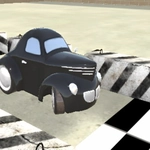
Parking games usually put me to sleep, but PolyPilot: Park n Smile has a weird charm. The low-poly cars feel chunky enough to matter, and the camera is the real hero—hold left click and drag, and the whole view orbits like you're spinning a toy car on a lazy Susan. It turns every reverse-park into a tiny spatial puzzle. WASD gets you moving, space taps the brakes, and from there it's all throttle discipline and geometry.
I got stuck on one spot with a pillar on the passenger side for a solid five minutes. My first attempt ended with the rear bumper hanging over the line like an unwelcome guest. The fix? Over-rotate early, straighten while tapping reverse, and swing the camera hard to the left to check the pillar clearance. When the game finally flashed that perfect-park confirmation, I exhaled like I'd just parallel parked a real car without insurance. The 'smile' part isn't just a name—it's the exact feeling you get when the wheels settle inside the lines.
Don't come in expecting drift physics or nitro. This is slow, deliberate, and occasionally rage-inducing in the best way. The menu uses the same drag-to-look mechanic, which is a nice touch. A mouse feels natural; touchscreens work but you'll fight the camera less with a physical mouse. If you've ever argued with a parking garage pillar, this one's for you.
👥How to Play PolyPilot: Park n Smile
Hold Click and Drag to move the vehicles camera, you can also use it to navigate through the menu, WASD to drive and Space to brake.
✨Game Tips
Swing the camera before you start moving—know the spot's shape like the back of your hand.
Use short taps of W and S instead of holding the key; momentum will slide you over the line.
Space bar isn't just for emergencies. Tap it early to kill speed before the turn.
If a spot looks too tight, pause and check from above by dragging the mouse straight up.
The handbrake-ish turn: hold space while steering to pivot the rear—risky but saves time.
🔧FAQ
Q: Is PolyPilot: Park n Smile free?
A: Yes, it's completely free to play in your browser.
Q: Can I play PolyPilot: Park n Smile on mobile?
A: Touch controls work, but a mouse and keyboard give you finer camera and throttle control.
Q: Do I need to download anything?
A: No download needed. It runs on HTML5 in any modern browser.
Q: What are the controls?
A: Hold left click and drag to move the camera. WASD drives, space bar brakes.
Q: Is there a time limit?
A: No strict timer on most levels. Take your time to park perfectly.
Q: Why is it called Park n Smile?
A: You get a satisfying smile confirmation when you park cleanly within the lines.