
Poppy Play Vs Friday Fight Mod
Play Count0
Published2022-01-07
Supported DevicesPC + Mobile
CategoryAdventure & RPG
Rating★★★★★5.0Rate this game
📝Poppy Play Vs Friday Fight Mod Overview
Tap arrow keys to match the beat while Poppy Playtime's creepy toys try to trip you up in this Friday Night Funkin' mod.
💬What is Poppy Play Vs Friday Fight Mod?
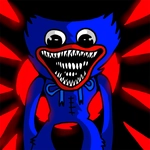
I went into this expecting another lazy FNF reskin. Instead, the Poppy Playtime mod actually understands what makes rhythm battles tense. You've got the usual four arrows scrolling toward the top, but the horror angle adds pressure: Huggy Wuggy looms in the background, and the track list leans into industrial, off-beat patterns that feel designed to shake your timing. Story mode lets you set difficulty from Easy to Hard, then pick a track—each one is a different musical fragment, so you're never stuck on the same loop.
The real 'oh no' moment comes when the double arrows kick in. On Normal and above, missed notes drain your health fast, and Huggy's sections throw quick bursts where you're tapping two directions at once. I kept catching myself leaning forward, like that would help. The mod also includes free play, which is where I'd suggest warming up after a rough story run. The character animations are surprisingly clean, and the background shifts between playroom and factory, which keeps the backtrack from feeling static.
It's not the hardest FNF mod out there, but it's not a walk in the toy aisle either. If you're into rhythm games with a creepy skin, this one's worth a shot. Just don't blame me when you hear Huggy's laugh in your sleep.
👥How to Play Poppy Play Vs Friday Fight Mod
Choose from several modes the one you like. It can be a story mod or free play. In the first case, you need to set the level of difficulty depending on your experience in passing such tests, then decide on the track, that is, with the musical fragment tha
✨Game Tips
Start on Easy even if you've played FNF before—the Poppy tracks have tricky off-beat sections.
Focus on the colored arrows near the top, not on the character dancing.
Use your index and middle fingers on one hand for left/down and the other for up/right to handle double notes.
In free play, pick a slower track first to get a feel for the mod's timing window.
Don't panic when Huggy's section speeds up; the arrow pattern repeats, so learn the loop.
If you keep missing, turn off the music briefly and tap the arrows visually to reset your rhythm.
🔧FAQ
Q: Is Poppy Play Vs Friday Fight Mod free to play?
A: Yes, it's completely free in your browser with no hidden charges.
Q: Do I need to download anything to play?
A: No download needed. It runs directly on any modern browser as HTML5.
Q: Can I play Poppy Play Vs Friday Fight Mod on mobile?
A: Yes, the touch controls work on mobile, but keyboard is recommended for harder difficulties.
Q: What's the difference between story mode and free play?
A: Story mode has set difficulty and track progression; free play lets you jump into any song.
Q: Is this mod too scary for younger players?
A: It has cartoonish horror elements like creepy toy characters, but no gore or jump scares.
Q: Does it support a controller or just keyboard?
A: Keyboard arrows are the main input. Some browsers may support gamepad with custom settings.