
Pro Car Racing Challenge 3D
Play Count0
Published2021-06-07
Supported DevicesPC
CategoryAdventure & RPG
Rating★★★★★5.0Rate this game
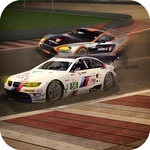
📝Pro Car Racing Challenge 3D Overview
Tearing down a neon-lit highway at full throttle felt so good I forgot the brake key exists—until I crashed into a barrier at 120 mph.
💬What is Pro Car Racing Challenge 3D?
Pro Car Racing Challenge 3D doesn't pretend to be anything fancy. You get a car, a track, and a WASD control scheme that takes about ten seconds to learn—and then the game quietly starts demanding more from you. The first few laps are all about not slamming into walls. Then you notice the traffic, the tight chicanes, and the fact that your car actually has weight. Hit a curb at the wrong angle and you'll feel the rear end slide out. That's the moment I stopped treating it as a throwaway browser racer.
One thing I didn't expect: the brake is mapped to spacebar, not S. It feels wrong for about two minutes, then you realize it's actually clever—your left hand stays on WASD for steering and throttle, while your thumb hovers over space for emergency stops. I had a near-miss on the third lap where I threaded between two oncoming cars with maybe a pixel to spare, and my heart actually jumped. For a free browser game, that's way more than I expected.
The tracks aren't endless, but there's enough variety to keep you coming back—different layouts, some with sharper turns, others with longer straights where you can test top speed. The 3D visuals are basic but clean, and the sense of speed is surprisingly convincing when you're hugging the racing line. If you just want to zone out for ten minutes, this does the job. If you chase lap times, you'll find yourself restarting after every small mistake. That's a good sign.
👥How to Play Pro Car Racing Challenge 3D
Move car with WASD buttons.
Break with Space Key.
✨Game Tips
Tap the spacebar brake lightly instead of holding it; you'll lose less speed and keep the car stable through corners.
Use the racing line—brake before the turn, not during it, otherwise you'll understeer into the wall.
On straights, stay in the middle lane initially until you learn where the AI traffic tends to cluster.
If you spin out, don't fight the wheel; let the car settle, then accelerate gradually.
The car's rear can slide if you turn too hard at high speed, so ease off the gas when entering a corner.
Don't try to drift on purpose—the physics aren't built for it, and you'll just lose time.
🔧FAQ
Q: Is Pro Car Racing Challenge 3D free to play?
A: Yes, completely free. No hidden paywalls or premium upgrades—just open the page and drive.
Q: Can I play Pro Car Racing Challenge 3D on my phone?
A: The game uses WASD and spacebar controls designed for a keyboard. Touch controls are not supported, so a laptop or desktop is recommended.
Q: Do I need to download or install anything?
A: No downloads needed. It runs directly in your web browser as an HTML5 game, so it works on any modern browser.
Q: What are the controls for Pro Car Racing Challenge 3D?
A: Use WASD to steer and accelerate. The space bar is your brake. That's it—no other keys required.
Q: Can I play Pro Car Racing Challenge 3D with a friend?
A: This is a single-player racing game with no multiplayer mode. You race against AI traffic, not other human players.
Q: Why does my car keep spinning out on sharp turns?
A: You're braking too late or turning too hard at high speed. Tap space gently before the corner and ease off the accelerator.