
Pro Cycling 3D Simulator
Play Count0
Published2023-05-08
Supported DevicesPC + Mobile
CategoryAdventure & RPG
Rating★★★★★5.0Rate this game
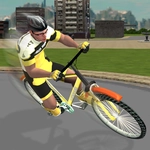
📝Pro Cycling 3D Simulator Overview
Lean into hairpin turns, dodge impatient drivers, and keep your cadence up in Pro Cycling 3D Simulator — one wrong move and you'll eat pavement.
💬What is Pro Cycling 3D Simulator?
The first thing you'll notice is how twitchy the steering feels. That's not a criticism — Pro Cycling 3D Simulator leans hard into the physics of balancing on two thin tires, and the slightest overcorrection sends you skidding into a guardrail. You control speed by holding down, and you steer by sliding your finger or mouse left and right. You can even pop a wheelie if you yank back at the right moment. I spent my first three runs eating gravel before I figured out that gentle, constant pressure beats frantic swiping.
The map isn't huge, but it's dense with obstacles: parked cars, cross traffic, pedestrians who cross without looking, and the occasional delivery van blocking the bike lane. The goal is simple — reach the finish line without turning yourself into a hood ornament. But the real challenge is managing your speed. Too slow and you'll lose momentum on hills. Too fast and you'll understeer into a bus. There's a fine line between brave and stupid, and the game rewards you for finding it.
What kept me coming back was the sheer stupidity of some of my crashes. One time I clipped a curb at 40 km/h, flew over the handlebars, and ragdolled into a fruit stand. The physics are just exaggerated enough to be funny without feeling like a cartoon. It's a perfect five-minute time killer, though if you're looking for deep career modes or bike upgrades, you'll be disappointed. This is pure, unapologetic arcade cycling.
👥How to Play Pro Cycling 3D Simulator
Hold to speed up, slide to steer or lift the handlebar.
✨Game Tips
Brake less than you think — coasting through a corner keeps your line tighter.
Lift the handlebar before hitting a curb to bunny-hop over it.
Draft behind cars for a speed boost, but watch for sudden brake lights.
Don't steer all the way to the edge; keep your inputs tiny to avoid overcorrection.
Save your speed for flat sections after climbs; don't waste energy fighting the uphill.
If you're about to hit something head-on, swerve behind it instead of braking hard.
🔧FAQ
Q: Is Pro Cycling 3D Simulator free?
A: Yes, it's completely free to play in your browser with no hidden fees.
Q: Can I play Pro Cycling 3D Simulator on mobile?
A: Yes, the touchscreen controls work well on phones and tablets.
Q: Do I need to download anything?
A: No download required. Just open the game in a web browser and start riding.
Q: What are the controls?
A: Hold to accelerate, slide left or right to steer, and swipe up to lift the handlebar.
Q: Why does my bike keep crashing?
A: You're likely oversteering. Use small, gentle movements and coast through corners.
Q: Is there a multiplayer mode?
A: No, this is a single-player cycling simulator with an endless course.