
Public City Transport Bus Simulator
Play Count0
Published2023-11-15
Supported DevicesPC
CategoryAdventure & RPG
Rating★★★★★5.0Rate this game
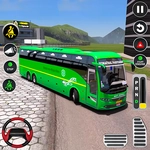
📝Public City Transport Bus Simulator Overview
Climb behind the wheel of a city bus, hit the gas, and thread a 40-foot metal box through rush-hour chaos without leaving a trail of dented fenders.
💬What is Public City Transport Bus Simulator?
There’s something oddly satisfying about piloting a bus that handles like a brick on wheels. Public City Transport Bus Simulator drops you into a 3D city and hands you the keys to a full-size transit bus. No tutorial holding your hand here — just a dashboard, a route, and a schedule that’s already slipping. You’ll learn pretty fast that buses don’t corner like sports cars. The first time I tried to cut a left turn too tight, I clipped a parked taxi and watched my passenger satisfaction nosedive. The physics feel heavy and deliberate, which is exactly what you want from a city bus sim.
The real test isn’t speed; it’s patience. You’ll crawl through intersections, stop at every marked bus stop, and wait for the doors to hiss open. Miss a stop? The game tracks it. Run a red light? Points off. But when you string together a clean run — every stop hit, every light obeyed, zero collisions — the rhythm clicks. The city isn’t huge, but traffic patterns shift, so you can’t just memorize a route and zone out. An ambulance might cut you off; a pedestrian might jaywalk. I learned to brake earlier than instinct says, because the bus’s momentum will push you through crosswalks if you’re not careful.
If you’re looking for arcade action, this won’t scratch that itch. It’s slower, almost meditative, but with enough consequence to keep you focused. The graphics are decent for a browser game, and the cockpit view gives you a nice sense of scale. One nice touch: the side mirrors actually work, so you can check your blind spots before merging. That’s the kind of detail that makes a bus sim worth playing. So grab a route, set your mirrors, and try not to flatten any cyclists. Your virtual passengers are counting on you.
👥How to Play Public City Transport Bus Simulator
Use Keyboard Button To Controll The Public City Transport Bus Simulator.
✨Game Tips
Brake earlier than you think you need to — the bus weighs a ton and will slide through intersections.
Use the side mirrors before changing lanes; the blind spots are real.
Stop exactly at the marked bus stop zone, not five feet past it, or the game won’t register the stop.
Don’t rush the schedule; the time buffer is tighter than it looks after the first few stops.
Watch for jaywalkers near the central plaza — they appear suddenly and will tank your score.
Master the right-turn sway: swing wide before turning, but only when the lane is clear.
🔧FAQ
Q: Is Public City Transport Bus Simulator free to play?
A: Yes, it's completely free on unblocked games sites. No hidden fees or premium unlocks.
Q: Can I play Public City Transport Bus Simulator on my phone?
A: It works on mobile browsers, but a physical keyboard gives better control for steering and braking.
Q: Do I need to download anything to play?
A: No download needed. The game runs in your browser using HTML5.
Q: What controls does the bus use?
A: You steer with arrow keys or WASD, and use spacebar for handbrake. Some versions use mouse for look.
Q: Does Public City Transport Bus Simulator have different routes?
A: Yes, after completing a route you can unlock additional lines across the city.
Q: Why does my bus feel slow and heavy?
A: That's the realistic physics — buses have big turning circles and low acceleration, so plan ahead.