
Puzzle Challenge
Play Count0
Published2023-01-16
Supported DevicesPC + Mobile
CategoryAdventure & RPG
Rating★★★★★5.0Rate this game
📝Puzzle Challenge Overview
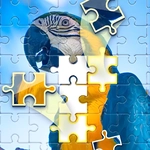
Stare down a jumbled 3D picture that only clicks when every piece lands just right. Rotate, drag, and let the solution snap into place.
💬What is Puzzle Challenge?
I'll be honest, I loaded up Puzzle Challenge expecting another mindless drag-and-drop, but the 3D gimmick hooked me faster than I care to admit. You're not just sliding flat tiles around—each piece has depth, it rotates, and the image only comes together when the angle is exact. The core loop is simple: tap a floating segment, drag it toward where you think it belongs, then click to spin it until the edges line up. That click-to-rotate move feels oddly satisfying, like cracking a stubborn jar lid. You'll know you've got it when the piece snaps in with a subtle shiver and the picture gets a little more coherent.
The tricky part? Your brain wants to solve it like a regular jigsaw, but depth perception plays tricks on you. A piece can look perfect from one angle and completely wrong from another. I spent a solid minute on one corner piece that refused to fit until I rotated it one extra notch—then it clicked, and I actually muttered "there we go" at the screen. There's no timer breathing down your neck, which is a blessing, but each puzzle still demands patience. The challenge builds gradually, so you won't hit a wall right away, but don't expect to breeze through the later stages either.
If you're the type who needs a mental warm-up, this one fits nicely between heavier games. It's quiet, tactile, and just hard enough to make you feel clever. Perfect for a break between classes or when you want something that doesn't demand reflexes.
👥How to Play Puzzle Challenge
Touch the screen, drag the picture to the corresponding position, and click the screen to rotate the picture.
✨Game Tips
Spin before you commit. A piece can sit in the right spot and still look wrong if it's one click away from the correct rotation.
Use the edges first. Outer pieces anchor the image and make the middle less overwhelming.
When a piece won't lock in, nudge it slightly left or right—the hitbox is tighter than it looks.
Take a mental snapshot of the preview image if one exists; solving the border first gives you constants.
If you're stuck, reset the puzzle rather than force a bad fit. Fresh eyes beat stubborn dragging.
Don't rush the rotate click. Two quick clicks can overshoot and you'll cycle past the perfect angle.
🔧FAQ
Q: Is Puzzle Challenge free to play?
A: Yes, it's completely free in your browser with no payment or subscription required.
Q: Can I play Puzzle Challenge on my phone?
A: Absolutely. The touch controls work well on mobile—just drag and tap to rotate.
Q: Do I need to download anything to start playing?
A: No downloads needed. It runs instantly on any modern browser with WebGL support.
Q: How do I rotate a piece in Puzzle Challenge?
A: Click or tap the piece after you've dragged it into position to spin it one step at a time.
Q: Why won't my piece snap into place?
A: You likely have the right spot but wrong rotation, or you're slightly off target. Adjust both.
Q: Does Puzzle Challenge have a time limit?
A: There's no countdown, so you can take your time and experiment with every angle.