
Puzzle Together
Play Count0
Published2022-11-24
Supported DevicesPC + Mobile
CategoryAdventure & RPG
Rating★★★★★5.0Rate this game
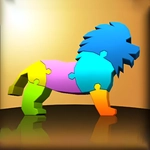
📝Puzzle Together Overview
Grab, spin, and slot 3D pieces until a scattered jumble becomes a miniature world you built with your own two hands.
💬What is Puzzle Together?
You know that odd little satisfaction when a 3D piece clicks into place because you finally got the angle right? That's the entire loop here, and it's strangely addictive. The screen gives you a half-built scene floating in space—maybe a cottage, maybe a little island, sometimes a vehicle with pieces scattered around its edges like an exploded diagram. You drag those chunks toward their ghost outlines, rotate them, nudge them, and eventually they snap in with a soft confirmation.
What makes it work is the lack of pressure. There's no countdown, no move limit, no penalty for taking ten minutes on a single stubborn roof tile. You can orbit the camera, zoom in close enough to see the seams, and just play with angles until it feels right. I kept getting hung up on a small chimney piece that I was holding upside down for way too long—when it finally flipped and locked in, I actually said 'there it is' out loud. That's the kind of moment the game trades on.
On mobile, dragging with a finger and using two fingers to spin the view feels precise; on desktop, a mouse does the same work. It's a quiet, meditative puzzle that works as a warm-up or a wind-down. If you rush, pieces can overlap slightly, but slowing down fixes almost everything. Think of it as a tiny Zen garden made of polygonal bits you assemble by hand.
👥How to Play Puzzle Together
Touch the screen and drag the parts to the corresponding position
✨Game Tips
• Rotate pieces first, then drag—matching orientation before moving saves half the struggle.
• Zoom out now and then to spot ghost outlines you might have missed while zoomed in.
• If a piece won't snap, nudge it slowly across the outline; the hitbox often wants center over center.
• Start with the biggest chunks to build a frame of reference, then slot the fiddly details last.
• Two-finger drag orbits the camera on touch screens, one-finger drag moves pieces—don't mix them up.
🔧FAQ
Q: Is Puzzle Together free to play?
A: Yes, it's completely free in your browser with no paywalls or hidden fees.
Q: Can I play Puzzle Together on my phone?
A: Absolutely. The touch controls work smoothly on mobile browsers and tablets.
Q: Do I need to download or install anything?
A: No downloads needed. It runs directly in your web browser as an HTML5 game.
Q: Does Puzzle Together require an internet connection?
A: You need internet to load the page, but the game itself runs locally once loaded.
Q: Are there any timers or scores?
A: No timers or score pressure—just you, the pieces, and a relaxed puzzle mood.
Q: What if a piece won't snap into place?
A: Rotate it slowly near the ghost outline; trying different angles almost always gets it to lock in.