
Quadcopter FX Simulator
Play Count0
Published2023-04-06
Supported DevicesPC + Mobile
CategoryAdventure & RPG
Rating★★★★★5.0Rate this game
📝Quadcopter FX Simulator Overview
Grab the controller and see if you can keep a quadcopter hovering through wind, tight spaces, and your own shaky thumbs.
💬What is Quadcopter FX Simulator?
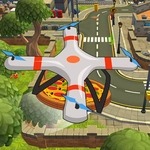
Ever crashed a drone into a wall within the first ten seconds? That's exactly what happened to me the first time I loaded up Quadcopter FX Simulator. The throttle's twitchy, the drone drifts like there's a breeze indoors, and the camera angle makes depth perception a genuine puzzle. But once you stop fighting the sticks and start making tiny corrections, something clicks. You'll find yourself hovering in place, nudging forward, and suddenly you're threading between obstacles like you've been doing this for years.
What sets this apart from a simple arcade flyer is the physics. Tilt too hard and the quadcopter slides sideways. Cut the throttle and it drops like a stone — no auto-hover safety net. The controls are straightforward: WASD moves you around, but the on-screen buttons handle the throttle and rotation, so it's worth getting comfortable with both hands. I found that a light tap on the lift button works better than holding it down. That's the kind of muscle memory you build after a few crash landings.
There's no story, no levels, no unlockables. Just you, a quadcopter, and a space to fly. For a free unblocked game, that's honestly enough. Whether you're killing time between classes or just want to feel like a pilot without buying a real drone, it scratches the itch. Just don't blame me if you end up trying to perfect a landing for twenty minutes straight.
👥How to Play Quadcopter FX Simulator
WASD to move, tap buttons to control
✨Game Tips
Start with tiny throttle taps; holding lift sends you straight into the ceiling.
Hover in place before attempting any forward movement to learn drift.
Use the camera angle to your advantage — switch views if available to judge distance.
If you start to spin, ease off the rotation button and let the drone stabilize.
Practice landing on a flat spot: cut throttle just before touchdown.
Don't chase speed; smooth corrections keep the drone under control.
🔧FAQ
Q: Is Quadcopter FX Simulator free to play?
A: Yes, it's completely free in your browser with no hidden fees.
Q: Can I play Quadcopter FX Simulator on mobile?
A: The touch controls work on mobile, but a keyboard gives you finer control.
Q: Do I need to download anything for Quadcopter FX Simulator?
A: No download needed — it runs in HTML5, so just open it and fly.
Q: What are the controls in Quadcopter FX Simulator?
A: Use WASD to move, and tap the on-screen buttons to control throttle and rotation.
Q: Is Quadcopter FX Simulator unblocked at school?
A: Most unblocked game sites host it, so it should work on school networks.
Q: Will Quadcopter FX Simulator run on a slow computer?
A: It's lightweight 3D, so even older machines usually handle it fine.