
Quevi
Play Count0
Published2023-04-13
Supported DevicesPC + Mobile
CategoryAdventure & RPG
Rating★★★★★5.0Rate this game
📝Quevi Overview
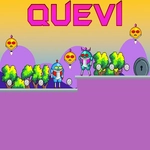
Leap through pixel ruins, nail the double jump, and dodge every spike — Quevi demands sharp fingers and a stubborn streak.
💬What is Quevi?
The first thing you'll notice about Quevi is how the double jump changes everything. You don't just press jump twice — you angle it, delay it, and sometimes burn it early just to correct a bad takeoff. I lost count of how many times I died on that one section with the crumbling blocks and the low ceiling. The game doesn't cheat, but it doesn't hold your hand either.
The pixel art is clean and readable, which matters because you'll be scanning for spikes, moving platforms, and the occasional false floor. There's a steady rhythm to the level design: a tight corridor here, an open vertical shaft there, and just when you think you've learned the pattern, the game flips the gravity or introduces a new hazard. It's the kind of challenge that feels unfair for two seconds, until you realize your thumbs were the problem.
What kept me coming back wasn't just the difficulty — it was the satisfaction of stringing together a perfect run. You'll start to read jumps two or three moves ahead, and that's when Quevi clicks. No upgrades, no convoluted story, just you, a jump button, and a screen full of ways to fail. If you like platformers that respect your patience and reward practice, this one's worth a session.
👥How to Play Quevi
Use WASD or Arrow keys for the players movement and Use W or up arrow key twice for double jump.
✨Game Tips
Master the double jump timing: tap W/Up twice quickly for extra height, but delay the second tap to extend distance.
Practice on the first few ledges without moving forward — get a feel for how the second jump carries momentum.
Watch for visual cues like cracked blocks and flickering spikes; they warn you before they trigger.
Don't be afraid to restart a section; the map is short enough that dying is cheap, so experiment with risky shortcuts.
Use the double jump to correct mid-air mistakes, not just to gain height; it can save you from overjumping.
Keep your eyes two ledges ahead, not on your character's feet.
🔧FAQ
Q: Is Quevi free to play?
A: Yes, Quevi is completely free to play in your browser with no paywalls or hidden fees.
Q: Can I play Quevi on mobile?
A: The game is designed for keyboard controls, but many mobile browsers support an on-screen overlay. For best results, use a desktop.
Q: Do I need to download anything to play Quevi?
A: No downloads or installs required. Just open the game page in a modern browser and it runs instantly.
Q: What are the controls in Quevi?
A: Move with WASD or arrow keys. Jump with W or Up Arrow, and press it twice quickly for a double jump.
Q: Is Quevi suitable for all ages?
A: Yes, Quevi has no violence or mature content, though its precise platforming might frustrate younger players.
Q: Why is Quevi called an unblocked game?
A: It's hosted on unblocked game sites that bypass school or work filters, so you can play it anywhere.