
Railways Train Simulator Game
Play Count0
Published2025-11-14
Supported DevicesPC + Mobile
CategoryAdventure & RPG
Rating★★★★★5.0Rate this game
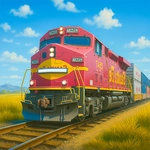
📝Railways Train Simulator Game Overview
You're the engineer now — grab the controls and guide a massive locomotive through stations, signals, and tricky junctions without derailing.
💬What is Railways Train Simulator Game?
Forget complex cab controls and signal timetables — this is train driving boiled down to its most satisfying essentials: throttle, brake, and a set of tracks that beg to be followed. You sit in the engineer's seat of a heavy locomotive. W or Up Arrow pushes you forward, S or Down Arrow backs you off, and A/D (or Arrow Left/Right) nudges the train left or right along the rails. I found myself leaning into curves, trying to keep the wheels from slipping, even though the physics are pretty forgiving. The 3D world is simple but inviting — low-poly hills, small towns, and the constant clack of wheels on track. Clicking on-screen buttons with the mouse handles things like horn or coupling, though honestly most of the time you're just steering and watching the distance eat up the track.
It's not a hardcore sim by any stretch. There are no punctuality penalties or complex systems to master. That's exactly why it works as a quick session game. You hit a junction too fast, oversteer, and the train detours onto a siding; a quick tap of S and you're back on the main line. I kept coming back to see if I could make the full loop without touching the edges. If you want a chill way to waste ten minutes, this is it.
One thing I appreciated: the controls are so simple you can play with one hand on the keyboard and one on the mouse if you need to hit a switch. Just don't expect a detailed cab with a dozen levers — it's more Legos than simulator.
👥How to Play Railways Train Simulator Game
W / Arrow Up → Move Front
S / Arrow Down → Move Back
A / Arrow Left → Move Left
D / Arrow Right → Move Right
- To click any button use mouse
✨Game Tips
Use W to build speed gradually; slamming it from a stop makes the train lurch.
At junctions, tap A or D early — oversteering will send you onto the wrong track.
Mouse-click the control buttons; don't rely only on keyboard if you need the horn or brakes.
Look ahead for curves; the train doesn't slow automatically.
If you derail, just reverse with S and straighten out.
🔧FAQ
Q: Is Railways Train Simulator Game free to play?
A: Yes, it's completely free in your browser with no subscription or hidden fees.
Q: Can I play Railways Train Simulator Game on mobile?
A: The game works on desktop browsers best; mobile touch support may be limited.
Q: Do I need to download anything to play?
A: No downloads or installs needed — just open the page and the game loads.
Q: What are the controls for the train?
A: W/Up Arrow moves forward, S/Down Arrow reverses, A/D or Left/Right Arrow steers left and right.
Q: Is there a tutorial in the game?
A: The on-screen buttons and simple controls make it easy to pick up without a formal tutorial.
Q: Can I play Railways Train Simulator Game offline?
A: No, you need an internet connection to load and run the game in your browser.