
Rainbow Tunnel 3D
Play Count0
Published2023-09-08
Supported DevicesPC + Mobile
CategoryAdventure & RPG
Rating★★★★★5.0Rate this game
📝Rainbow Tunnel 3D Overview
Dodge neon walls and chase glowing orbs as you barrel through a twisting rainbow tube that never slows down.
💬What is Rainbow Tunnel 3D?
The idea is simple: you're hurtling down an endless multicolored tube, and the only thing you control is whether you drift left or right. That's it. No brake, no jump, no nonsense. But don't let the simplicity fool you; the tunnel narrows, curves, and throws sudden obstacles that force split-second decisions. On desktop, arrow keys or A/D do the job. On a phone, tapping either side of the screen feels surprisingly tight once you get the rhythm down. I lost count of how many runs ended because I overcorrected half a second too late.
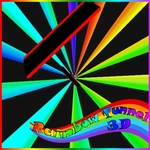
Visually it's a feast for the eyes without being noisy. Neon gradients shift as you progress, the walls pulse, and the sensation of speed is real. There's a hypnotic quality to it—one more run becomes five, then ten. The difficulty ramps up at a fair clip, but it never feels cheap; every crash teaches you something about your reaction time. You'll start anticipating turns by the color patterns, and that's when the game sinks its hooks in. If you're after a quick arcade fix that actually tests your reflexes instead of just wasting time, this one's worth a bookmark.
For anyone worried about mobile controls—don't be. The tap zones are large enough that you won't fat-finger, but you still need to commit early. I played mostly on a laptop for precision, but the touch version held up surprisingly well on a bumpy bus ride. One small gripe: the game doesn't pause when you switch tabs, so if you're multitasking, you'll come back to a wreck. Minor, but worth knowing.
👥How to Play Rainbow Tunnel 3D
Use the left and right arrows (or press A and D) on a keyboard. On mobile devices, just tap on the screen in the desired direction.
✨Game Tips
Stay centered early; drifting too far left or right leaves no recovery room when the tunnel suddenly shifts.
Learn the color warning sequence—pulsing walls usually mean a turn is coming before you can see it.
On mobile, tap slightly earlier than you think; touch latency feels worse at high speed.
Use A/D instead of arrow keys if you're on a cramped laptop; your hand sits more naturally.
Don't chase every glowing orb; some are bait placed right before a narrow gap.
Breathe on long streaks. Tensing up makes your inputs twitchy, which leads to overcorrections.
🔧FAQ
Q: Is Rainbow Tunnel 3D free to play?
A: Yes, it's completely free. No paywalls or hidden fees—just load and play.
Q: Can I play Rainbow Tunnel 3D on my phone?
A: Yes, the game supports touch controls. Tap left or right side of the screen to steer.
Q: Do I need to download anything to play?
A: No downloads needed. It runs in your browser as an HTML5 game.
Q: Is Rainbow Tunnel 3D unblocked at school?
A: Usually yes, since it's hosted on unblocked game sites. Check your network's restrictions.
Q: What are the controls on desktop?
A: Use the left and right arrow keys, or A and D, to move side to side.
Q: Does Rainbow Tunnel 3D work on old computers?
A: It should run smoothly on most devices since it's lightweight. A modern browser is all you need.