
Real Bus Simulator 3D
Play Count0
Published2022-06-01
Supported DevicesPC + Mobile
CategoryAdventure & RPG
Rating★★★★★5.0Rate this game
📝Real Bus Simulator 3D Overview
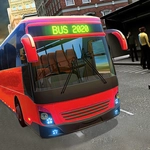
Slide behind the wheel of a hulking city bus and wrangle it through tight downtown streets without scraping a single fender.
💬What is Real Bus Simulator 3D?
You get a full-size bus, a city map, and absolutely no mercy from the traffic around you. The first thing I noticed was how much wider the bus feels than you'd expect — turn too early and you'll clip a lamppost or sideswipe a parked car. That's the moment the game clicks: this isn't an arcade racer, it's a patience test with a schedule. You creep forward, check both mirrors (well, you glance at the screen edges), and learn to swing wide on corners like a real driver.
What surprised me was the rhythm of the route. You're not just flooring it from point A to B. You slow for bus stops, wait for passengers to board, then pull back into traffic while a sedan honks behind you. I lost count of the times I thought I'd squeeze through a gap only to hear that metal-on-metal scrape. The game doesn't hold your hand — there's no rewind, no ghost mode, just you and your increasingly dented bus.
If you're the type who finds relaxation in watching your speedometer and keeping a clean line, this will scratch that itch. It's simple to pick up, but mastering a full loop without a single collision is genuinely satisfying. The 3D camera gives you just enough visibility to feel like you're actually driving, not watching a toy bus from above.
👥How to Play Real Bus Simulator 3D
WASD to move
✨Game Tips
Brake early and coast toward stops — buses don't stop on a dime, and sudden braking will jackknife you into a light pole.
Take right turns extra wide; the rear wheels cut the corner much tighter than the front, so swing out before turning.
Watch the oncoming lane when you pull out from a stop — waiting for a real gap beats getting T-boned by a taxi.
Keep your speed under 30 in residential zones; pedestrians and parked cars appear faster than you think at higher speeds.
Use the overhead map between stops to plan your next turn, don't just react when the road suddenly bends.
Don't rage-reset after a small scrape; finishing a route with minor damage still teaches you more than restarting over and over.
🔧FAQ
Q: Is Real Bus Simulator 3D free to play?
A: Yes, it's completely free in your browser with no paywalls or locked buses.
Q: Can I play Real Bus Simulator 3D on mobile?
A: The game works on most mobile browsers, but keyboard controls on a desktop give you much better handling.
Q: Do I need to download anything to play Real Bus Simulator 3D?
A: No downloads needed. It runs directly in your browser as an HTML5 game.
Q: What are the controls for Real Bus Simulator 3D?
A: Use WASD or arrow keys to drive: W/up to accelerate, S/down to brake or reverse, A and D to steer.
Q: Does Real Bus Simulator 3D have multiple bus models?
A: The game focuses on a single city bus, but the challenge comes from mastering routes and traffic, not swapping vehicles.
Q: Can I change the camera angle while driving?
A: Most versions let you cycle between a few camera views, though the default behind-the-bus angle is the most practical for tight turns.