
Real Car Parking 3D : Dr Parking
Play Count0
Published2020-06-17
Supported DevicesPC + Mobile
CategoryAdventure & RPG
Rating★★★★★5.0Rate this game
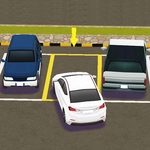
📝Real Car Parking 3D : Dr Parking Overview
Squeeze a sedan into a tight spot without scratching the paint — this 3D parking sim turns a mundane chore into a tense precision puzzle.
💬What is Real Car Parking 3D : Dr Parking?
I'll admit, I rolled my eyes at first. A parking game? Really? Then I spent twenty minutes trying to reverse a Honda into a slot barely wider than the side mirrors, and I got it. The car slid in with maybe an inch to spare, and I actually exhaled like I'd just parallel parked a real vehicle on a busy street. That's the weird magic of Real Car Parking 3D : Dr Parking — it makes something ordinary feel like a boss fight.
The controls are simple: arrow keys to drive and steer, space for the handbrake on PC, or touch buttons on mobile. But the challenge ramps up fast. You'll deal with cramped garages, concrete pillars that jump out at you, and angles where your brain swears the car won't fit (spoiler: sometimes it won't). You can switch camera views, which is a lifesaver — overhead view for tight maneuvering, first-person for that final inch. Each level sets a target spot and you need to park without hitting anything. Hit a cone or scrape a wall and you lose points, though you can usually just back out and try again.
What kept me coming back was the feel of the steering. Each car has its own turning radius and weight, so a pickup truck behaves nothing like a small hatchback. The graphics are basic but clean, and the physics feel just forgiving enough to be fun without being arcade-silly. If you've ever sat in a parking lot silently judging someone's terrible reverse job, this game lets you prove you could do better — or discover you're part of the problem.
👥How to Play Real Car Parking 3D : Dr Parking
- arrows and space in pc
- ui in mobile
✨Game Tips
Use the overhead camera for tight parallel spots — you'll see exactly how much room is left on both sides.
Brake early and creep forward; momentum is your worst enemy in narrow lanes.
Space bar is your handbrake on PC, so tap it to lock your position before making small adjustments.
Don't rush the first few levels — learn each car's turning radius before attempting the harder garages.
Switch to first-person view only after you're roughly aligned, not while reversing blind.
If you scrape a wall, don't panic: back out slowly and re-angle instead of forcing it.
🔧FAQ
Q: Is Real Car Parking 3D : Dr Parking free to play?
A: Yes, it's completely free in your browser with no hidden payments.
Q: Can I play Real Car Parking 3D : Dr Parking on my phone?
A: Yes, the mobile version has touch buttons for steering and pedals.
Q: Do I need to download anything to play?
A: No, it runs directly in your web browser as an HTML5 game.
Q: What are the PC controls?
A: Arrow keys move and steer, and space acts as the handbrake.
Q: Can I change the camera angle while parking?
A: Yes, there are multiple views including overhead and first-person.
Q: What happens if I hit a wall or cone?
A: You'll lose points, but you can reverse and try again without failing the level.