
Real City Truck Simulator
Play Count0
Published2020-03-13
Supported DevicesPC
CategoryAdventure & RPG
Rating★★★★★5.0Rate this game
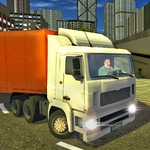
📝Real City Truck Simulator Overview
Grab the wheel of a big rig and haul cargo through busy city streets without smashing into traffic or missing your drop-off.
💬What is Real City Truck Simulator?
There's a moment in Real City Truck Simulator when you're halfway through a left turn across three lanes, trailer swinging wide, and a taxi decides your lane looks better than its own. You stand on the brakes, feel the cab dip, and somehow thread the gap with inches to spare. That's the whole appeal. You're not just hauling crates from A to B—you're wrestling a 40-ton vehicle through traffic that genuinely does not care about you. The city feels alive, congested, and a little hostile, which means every successful delivery feels earned. The physics lean more arcade than hardcore sim, but the trailer still has weight. It lags on turns, pushes you wide if you enter too hot, and jackknifes when you panic. You learn to brake early, take corners wide, and keep an eye on the mirrors.
Controls are straightforward: WASD or arrow keys to move, and E lowers your load. That E key matters because some drop-offs require you to lower the trailer or set cargo down precisely. It's a small interaction, but it adds a ritual to each delivery—back in, line up, lower, done. I found myself doing gentle reverse maneuvers around loading docks and tight industrial yards more than I expected. If you're used to racing games, this will feel slow for the first minute. Then a bus blocks your turn, a light goes red at the worst moment, and you realize the challenge isn't speed, it's patience. It's the kind of game you can dip into for ten minutes and end up playing for an hour because you just need to finish one more route. No downloads, no silly upgrade menus, just you, a truck, and a city waiting to ruin your paint job.
👥How to Play Real City Truck Simulator
Truck Controls - W,A,S,D or Arrow Keys
E - Load lowering
✨Game Tips
• Brake before the turn, not during—trailer weight will shove you wide if you panic.
• Press E to lower your load early; waiting until the last second makes lining up harder.
• Watch traffic two cars ahead, not the bumper right in front of you.
• Reverse slowly and use small steering taps; overcorrecting is how jackknifes happen.
• Swing left a bit before right turns so the trailer clears the curb.
🔧FAQ
Q: Is Real City Truck Simulator free to play?
A: Yes, it's completely free to play in your browser with no payment walls.
Q: Can I play Real City Truck Simulator on mobile?
A: It runs on most modern mobile browsers, but keyboard controls give you the best experience.
Q: Do I need to download anything to play?
A: No downloads needed. It's an HTML5 game that runs directly in your browser.
Q: What are the controls for Real City Truck Simulator?
A: Use WASD or arrow keys to drive, and press E to lower your load at the drop-off.
Q: Is this game unblocked at school?
A: It's designed to work on unblocked games sites, but your school's firewall may still block it.
Q: Does Real City Truck Simulator save my progress?
A: The game usually resets after you close the tab, so finish your routes before leaving.