
Real Drone Simulator
Play Count0
Published2023-08-31
Supported DevicesPC + Mobile
CategoryAdventure & RPG
Rating★★★★★5.0Rate this game
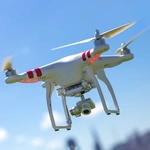
📝Real Drone Simulator Overview
Strap on your goggles and pilot a quadcopter through tight obstacles with four-direction flight controls that actually feel like flying.
💬What is Real Drone Simulator?
I've flown a few cheap toy drones that immediately kissed the ceiling, so I wasn't expecting much from a browser sim. Real Drone Simulator surprised me: the quadcopter actually tilts when you push forward, and cutting throttle too fast makes it drop like a brick. You steer with WASD for lateral movement and use the arrow keys for altitude and yaw. The learning curve is just steep enough to feel like piloting, not babysitting. You'll also notice the drone drifts slightly even after you release the keys, so you have to counter-steer to hold position.
My first attempt, I shot straight up, overcorrected, and clipped a shipping container while trying to thread a narrow gap. The rotor wash effect on the camera is a nice touch—it sells the weight of the machine. After ten minutes I could hover in place and spin slowly to line up a landing pad. That's the 'aha' moment: when your thumbs stop fighting the controls and you start flying instead of reacting. I had a stupid grin on my face, which is rare for a browser game.
The environment isn't huge, but it's dense with obstacles—cargo crates, scaffolding, tight corridors. No weapons, no timers, just you and a machine that obeys physics. The sound design is minimal but effective: a low hum that rises with throttle, a nasty crunch when you hit a wall. There's no HUD clutter—just your drone, the world, and your own depth perception. I kept coming back to shave seconds off my route or land perfectly on a tiny platform. If you want a drone sim that respects your intelligence, this is the one.
👥How to Play Real Drone Simulator
WASD = fly to four directions
Up and Down arrows = fly high and low
Left and Right arrow = turn left and right
✨Game Tips
Feather the altitude arrows instead of holding them—full throttle sends you into the ceiling fast.
Get comfy hovering in one spot before attempting any gaps; holding position is harder than moving.
Use left/right arrows to rotate, not to slide sideways. You'll line up approaches much cleaner.
Cut throttle early when descending or you'll bounce off the ground and lose control.
Treat every flight like a landing challenge: pick a target, fly there, land without scraping a rotor.
🔧FAQ
Q: Is Real Drone Simulator free to play?
A: Yes, it's completely free in your browser with no hidden fees or paywalls.
Q: Can I play Real Drone Simulator on a mobile device?
A: The game is designed for keyboard controls, so a desktop or laptop with arrow keys works best.
Q: Do I need to download or install anything?
A: No downloads needed. Just open the page and start flying—it runs on HTML5.
Q: What are the controls for Real Drone Simulator?
A: WASD moves the drone horizontally, up/down arrows control altitude, left/right arrows rotate the drone.
Q: Does Real Drone Simulator support a gamepad?
A: The browser version is keyboard-only; some setups let you map keys via external tools.
Q: Is there a multiplayer mode or time trials?
A: It's single-player sandbox flying. You set your own goals around the obstacle course.