
Road Fixer
Play Count0
Published2023-12-18
Supported DevicesPC + Mobile
CategoryAdventure & RPG
Rating★★★★★5.0Rate this game
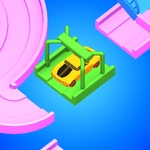
📝Road Fixer Overview
Orange twists, blue buttons, and green sliders block your path — can you decode the colored chaos and get traffic moving again in Road Fixer?
💬What is Road Fixer?
I don't know who designed these roads, but they clearly had a grudge against smooth traffic. Road Fixer drops you into a 3D world where the path ahead is blocked not by traffic or weather, but by a series of colored levers, buttons, and sliders that all need to be wrestled into place. Each control links to an obstacle through a color code—orange twisters rotate, blue buttons need to be held down, green sticks slide side to side. That sounds simple until you realize half of them have to be operated at the same time.
The first time I played, I stood there tapping the orange twister like an idiot, wondering why nothing moved. Then I noticed the little color marker on the roadblock and tried twisting left. Nothing. Right. Nothing. Then a short hold—ah, there it goes. That's the core loop: figuring out which direction, how long, and what order. It's not a reflex game; it's a thinking game disguised as a maintenance sim. The 3D camera makes it feel tactile, but the real enemy is your own brain trying to multitask.
Don't expect explosions or high scores. Road Fixer is the kind of game you open for five minutes and then realize you've been staring at the same road for twenty. It works great on a phone with taps, but on a desktop mouse you'll get more precision. My only gripe: some levels with multiple simultaneous controls can feel a bit fiddly if you're on a trackpad. If you enjoy puzzles that make you feel clever without punishing you for wrong moves, this one's worth a spin.
👥How to Play Road Fixer
Use mouse or tap to move controls for fix obstacles.
- Levers and obstacles are connected by color
- The orange twister needs to be twisted left or right
- The blue button needs to be pressed and held
- The green stick needs to be moved left or right
✨Game Tips
- Look for the color link between each control and its obstacle before touching anything.
- Hold the blue button for a full second longer than feels comfortable—release too early and it snaps back.
- Twist the orange twister in quarter turns, not full spins, to avoid overshooting.
- On a touchscreen, use two fingers so you can press and hold while sliding the green stick.
- If a lever won't move, check whether another control is blocking it first.
🔧FAQ
Q: Is Road Fixer free to play?
A: Yes, it's completely free on Unblocked Games—no payment or subscription needed.
Q: Can I play Road Fixer on my phone?
A: Absolutely. The HTML5 version runs in mobile browsers and supports touch controls.
Q: Do I need to download Road Fixer?
A: No download required. It loads directly in your browser, just hit play.
Q: What is the hardest part of Road Fixer?
A: Managing multiple colored controls at once, especially when one needs to be held while another moves.
Q: Is Road Fixer suitable for younger players?
A: Yes, it's non-violent and encourages logic, color recognition, and fine motor coordination.
Q: Does Road Fixer keep my progress if I refresh?
A: Progress is session-based, so refreshing the page will likely restart the current level.