
Roblox: Multiverse Spider
Play Count0
Published2023-11-08
Supported DevicesPC
CategoryAdventure & RPG
Rating★★★★★5.0Rate this game
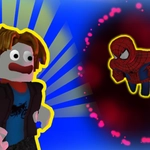
📝Roblox: Multiverse Spider Overview
Leap across floating multiverse islands, swap between two Spider heroes on the fly, and deploy a parachute just before you eat dirt.
💬What is Roblox: Multiverse Spider?
The first thing I did in Roblox: Multiverse Spider was jump off the highest tower just to see if the parachute worked. It does—and it saves you from quite a few embarrassing falls. You move with WASD, rotate the camera with your mouse, jump with Space, and hold Shift for an extra burst of speed. The R key opens your parachute, which you'll need a lot more than you think. Switching between the two Spider characters with the 1 and 2 keys is oddly satisfying; each one handles the same, but the mental reset of swapping mid-air can save a botched run.
What got me hooked was the multiverse setting. Floating islands, broken bridges, and cosmic backdrops make every landing feel like you've crossed into another dimension. I was sprinting across a narrow beam, accidentally hit Shift, and overshot into the void. The parachute caught me at the last possible second—then I switched to the other Spider just to see if they'd land any differently. They didn't, but it felt like a second chance at a jump I'd already failed. Esc pauses the whole thing, which is a nice touch when you need to catch your breath or rethink a route.
It's not a polished AAA title, but for a free browser 3D parkour sandbox, it scratches the itch. The camera can be twitchy until you learn to swing it around corners while moving. Once that clicks, the flow feels great. If you enjoy open 3D platformers with a bit of chaos and a forgiving parachute, give this one a shot.
👥How to Play Roblox: Multiverse Spider
- WASD - control the character.
- Space bar - jump.
- Esc - pause the game.
- Rotate the camera with the mouse.
- R - use the parachute with the key.
- Shift - key to speed up even more.
- Switch between characters with the 1 and 2 keys.
✨Game Tips
Use Shift sparingly on narrow beams—it's easy to overshoot and tumble off.
Switch to the second character mid-air when you need a fresh read on a tricky gap.
Tap R just before landing to soften falls and avoid losing momentum.
Rotate the camera before committing to a jump; hidden obstacles love to lurk behind the default angle.
Jump first, then hold Shift for extra horizontal distance across wide chasms.
Pause with Esc if you're overwhelmed—taking five seconds can reset your timing.
🔧FAQ
Q: Is Roblox Multiverse Spider free to play?
A: Yes, it runs free in your browser with no payment required.
Q: Can I play Roblox Multiverse Spider on mobile?
A: It's designed for keyboard and mouse, so mobile isn't recommended for full control.
Q: Do I need to download anything to play?
A: No downloads needed—just open the page and it loads in your browser.
Q: Is there multiplayer or co-op in this game?
A: This is a single-player experience; you control both Spider heroes yourself.
Q: What's the main goal in Roblox Multiverse Spider?
A: Explore the 3D multiverse, clear platforming challenges, and master movement with both characters.
Q: Can I switch between the two Spiders anytime?
A: Yes, press 1 or 2 to swap characters instantly whenever you want.