
Roblox: Spiderman Upgrade
Play Count0
Published2023-11-20
Supported DevicesPC
CategoryAdventure & RPG
Rating★★★★★5.0Rate this game
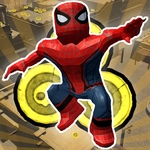
📝Roblox: Spiderman Upgrade Overview
Swing across rooftop gaps, collect upgrade orbs, and figure out which web ability actually keeps you alive when the fall damage starts stacking.
💬What is Roblox: Spiderman Upgrade?
The first time I loaded Roblox: Spiderman Upgrade, I expected another cheap fan game with a stiff camera and floaty jumps. What I got was a surprisingly tight movement sandbox. WASD moves you, Shift bursts into a sprint, Space launches you upward, and the mouse handles all the looking around. The scroll wheel zooms the camera in and out — a small touch that matters more than you'd think when you're lining up a jump across two buildings.
The real hook is the upgrade screen. You collect glowing orbs scattered across the city, then spend them on abilities. I dumped my first batch into jump height and immediately noticed how much smoother rooftop traversal felt. There's a moment early on where you climb a crane, scroll the mouse wheel back to widen your view, and sprint-jump off the edge. If you've upgraded right, you catch the far ledge by your fingertips. If not, you learn exactly how fall damage works. It's that trial-and-error loop that kept me coming back.
Don't go in expecting a story or NPCs. This is a parkour sandbox with a Spider-Man skin. The enemies are mostly environmental — gravity, gaps, and the occasional bad landing. That's fine. The fun comes from watching your movement stats climb and suddenly reaching spots that felt impossible ten minutes earlier. If you like grinding for upgrades and testing physics, this one'll eat an afternoon.
👥How to Play Roblox: Spiderman Upgrade
Control:
WASD - Movement
Mouse - Camera view
Space - Jump
Shift - Run
You can increase or decrease your viewing angle with mouse scrolling
✨Game Tips
Bind your fingers early: Shift for sprint, Space for jump, and keep your right hand on the mouse for camera control.
Scroll the mouse wheel to zoom out before big jumps — a wider view makes landing spots easier to judge.
Prioritize movement upgrades like jump height and speed over damage early on, since they make exploration less frustrating.
Sprint before you leap; the extra momentum stacks with whatever upgrade bonuses you've already bought.
If a fall kills you, treat it as data — your next upgrade should probably go toward landing or health.
Check the upgrade menu often. New tiers unlock silently after you collect enough orbs, and you don't want to miss a cheap passive.
🔧FAQ
Q: Is Roblox: Spiderman Upgrade free to play?
A: Yes, it's a free browser game with no paywalls for the core upgrade tree.
Q: Do I need to download Roblox or any launcher?
A: No downloads required. It runs directly in your browser as an HTML5 game.
Q: Can I play on a phone or tablet?
A: The game works best with a keyboard and mouse. Touch controls are limited or unavailable on most mobile browsers.
Q: What are the basic controls?
A: Use WASD to move, mouse to look, Space to jump, Shift to run. Scroll the mouse wheel to change the camera zoom.
Q: Does my progress save between sessions?
A: Saving depends on the hosting site. Most unblocked versions keep upgrades only for the current browser session.
Q: Why does my character die from short falls?
A: Early jump stats are low. Upgrade landing or health, and always sprint before jumping across gaps.