
Rocket Adventure
Play Count0
Published2025-08-28
Supported DevicesPC
CategoryAdventure & RPG
Rating★★★★★5.0Rate this game
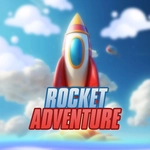
📝Rocket Adventure Overview
Pilot a tiny rocket through twisting space caverns, grab fuel cells, and don't smack into anything spinning.
💬What is Rocket Adventure?
I died eleven times in the first minute of Rocket Adventure. Not because the game cheats, but because I kept assuming my rocket could squeeze through a gap that was maybe three pixels wider than my ship. It couldn't. Once I stopped treating the mouse like a steering wheel and started treating it like a leash — small, deliberate nudges instead of wide sweeps — things clicked.
The core loop is dead simple: your rocket follows your cursor (or finger on a touchscreen), and you're dodging spinning hazards, asteroids, and the occasional gravity pull that tries to yank you off course. Fuel cells are scattered around; grab them or you'll sputter out mid-flight. Some levels have tight tunnels with rotating blades, and the hitbox is merciless. That's not a complaint — it's why dying feels fair. You know exactly what you did wrong. I found myself holding my breath on the later sections where the screen scrolls faster than my brain. The touch controls work surprisingly well, though my fat thumbs were a liability on the final gauntlet.
What kept me coming back was how each retry tightened my intuition. The same segment that murdered me twenty times became a smooth, almost balletic run once I learned the rhythm. It's a small game, no cutscenes or skill trees, but for a quick adrenaline fix in a browser tab, it overdelivers. Just don't blame me when you shout at your monitor.
👥How to Play Rocket Adventure
Use the mouse or touch to play
✨Game Tips
Tap the direction you want to go, don't drag constantly — the rocket turns sharper with short inputs.
Fuel cells are spaced unevenly; plot a path that grazes them without swinging wide.
Spin hazards have a safe zone directly opposite their rotation — hover there to breathe.
On touch, keep your finger above the rocket so your hand doesn't cover upcoming obstacles.
When gravity wells appear, fight the pull by aiming slightly off-center rather than straight toward the exit.
If a corridor looks too narrow, it usually is. Look for an alternate ceiling route.
🔧FAQ
Q: Is Rocket Adventure free to play?
A: Yes, it's completely free in your browser. No paywalls or hidden fees.
Q: Do I need to download anything to play Rocket Adventure?
A: No downloads. It runs on HTML5, so just open the page and start flying.
Q: Can I play Rocket Adventure on my phone or tablet?
A: Yes, the touch controls work on mobile devices. Open it in a mobile browser.
Q: What are the controls for Rocket Adventure?
A: Use your mouse or finger to guide the rocket. Move the pointer and the rocket follows.
Q: Is Rocket Adventure unblocked at school?
A: This version is hosted on an unblocked games site, so it usually bypasses school filters.
Q: Does Rocket Adventure save my progress?
A: Most versions don't have a save system; each run is fresh. Your high score might reset on refresh.