
Roller Madness
Play Count0
Published2021-09-29
Supported DevicesPC
CategoryAdventure & RPG
Rating★★★★★5.0Rate this game
📝Roller Madness Overview
One wrong twitch and your glowing ball is gone — grip the track, dodge spinning blades, and ride the edge through neon 3D chaos.
💬What is Roller Madness?
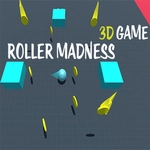
Roller Madness throws you onto tracks that feel like they were designed by someone who hates you. You're a ball, sure, but a fragile one. The mouse steers left and right while the world tilts, spins, and drops away beneath you. It's not just about speed — it's about micro-adjustments. I caught myself holding my breath on a stretch where the path narrowed to a sliver over a bottomless pit, and I still clipped the edge. The restart is instant, which is both a blessing and a curse because you'll want one more run immediately.
The look is pure arcade neon: glowing rails, floating platforms, and obstacles that rotate with a rhythm you have to learn. What got me was the sense of momentum. Once you get rolling, you'll feel the slight lag on direction changes, so braking early on a tight curve becomes second nature. Keyboard users can tap instead of glide, but the mouse gives you finer control once you stop oversteering. There's no story, no upgrades, no fluff. Just you, a ball, and a track that wants to launch you into space.
It's brutally simple in the best way. Perfect for a five-minute break that turns into an hour of 'just one more attempt.' If you enjoy games like Slope or Run 3, this scratches that same itch but with a 3D twist that messes with your depth perception. Don't trust the shadows — some of those gaps are wider than they look, and the camera angle plays tricks on your brain.
👥How to Play Roller Madness
Use Mouse To Play and Keyboard
✨Game Tips
Use short mouse nudges rather than sweeping moves — oversteering sends you off the edge faster than any obstacle.
Memorize the rhythm of spinning blades; they rotate at fixed speeds so you can slip through on the beat.
Tap the brake (down arrow or S) before sharp turns instead of trying to steer through at full speed.
Stay centered on straightaways. The edges may look safe, but the camera angle hides how close you really are.
If you're falling, steer toward the nearest platform edge even if it looks too far — sometimes the hitbox is forgiving.
Play with sound on if possible; the audio cues help you anticipate upcoming obstacles before you see them.
🔧FAQ
Q: Is Roller Madness free to play?
A: Yes, it's completely free in your browser with no paywalls or hidden fees.
Q: Do I need to download anything to play Roller Madness?
A: No download needed. It runs directly in your web browser as an HTML5 game.
Q: Can I play Roller Madness on my phone?
A: It works on mobile browsers, but the mouse controls are much more precise on a desktop.
Q: What are the controls for Roller Madness?
A: Use your mouse to steer left and right. Keyboard arrows or WASD also work for movement.
Q: Is Roller Madness unblocked at school?
A: Many school networks allow it since it's a browser game, but some may block gaming sites. Try the unblocked version.
Q: What makes Roller Madness so hard?
A: The camera angle and fast speed make judging distances tricky. Practice on early tracks to learn the timing.